Member management with autocomplete
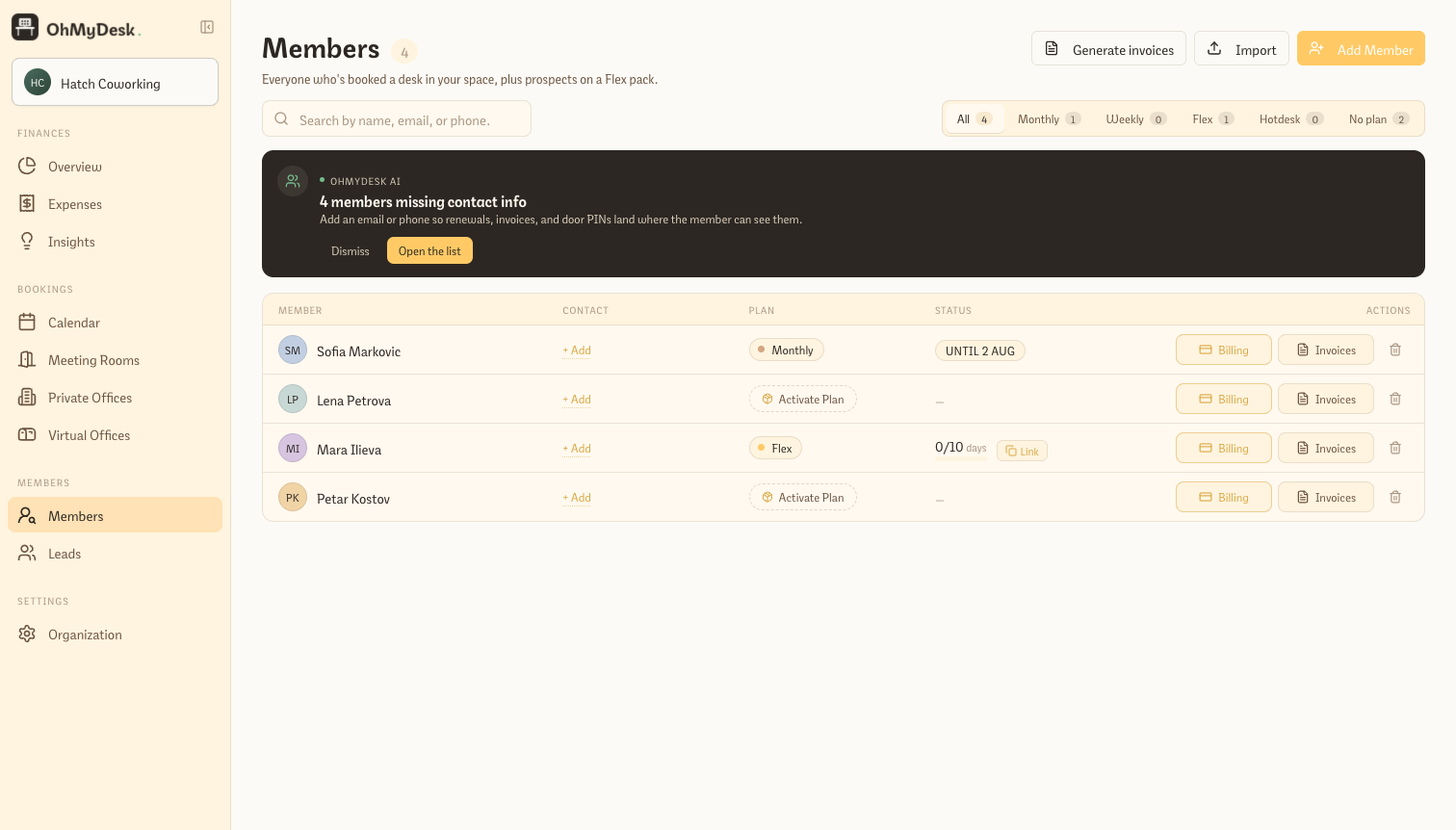
OhMyDesk keeps every coworking member on one card: contact details, every plan they hold, bookings, invoices and a running balance. Anyone you book a desk for becomes a member automatically, and from the card you can save a member as a phone contact and send your WhatsApp group invite from your own WhatsApp, then tick who joined.
Persistent member records with everything you'd expect: contact info, visit history, current bookings, and balances. As you start typing a member's name in any booking, autocomplete fills the rest. No more typing the same person twenty times a month.
What you get
- Autocomplete in every booking dialog — no duplicate entries
- One wide member card with Overview, Bookings, and Billing tabs — Billing keeps invoices as documents and combines every charge and payment into one chronological Statement with a running balance
- Every plan a member holds on one card — flex, hotdesk, desk, virtual office, each private office and meeting-room hours — each with its own edit and its own "Bill to"; add another kind of plan at any time
- A simple signed balance: positive charges add what is owed, payments reduce it, and refunds or reversals stay visible as separate events — with no hidden payment allocation
- Separate Payments and Charges registries with direct member and invoice links; attach an unassigned financial record to an existing member without rewriting its history
- Anyone you book a desk for becomes a member automatically, and sits under a Leads tab until they buy a plan
- Book a desk or a meeting room straight from the member card — the usual booking dialog opens with the member already filled in
- Search members by name, email or the company name on their billing details, in Members, Invoices, the command palette and every member picker
- The Active tab lists only members who really have a plan: people whose desk plan has ended, whose flex days are used up or whose passes are no longer live move out of Active
- Per-member visit history and active bookings at a glance
- Sort the member list from the Sort menu next to the filters: Newest first puts the people added last at the top with the date they were added, so a new sign-up from your booking page is easy to find; A–Z lists everyone by name; Recently opened is the default. Your choice is remembered in this browser
- Phone, email, Telegram, and notes per member
- WhatsApp group row on the member card: paste your group invite link once under Settings → Contacts & Space, then Save contact downloads the member as a phone contact, Send group invite opens your own WhatsApp with a ready welcome message and the link, and the In WhatsApp group tick remembers who joined. On Members, the Not in group filter shows who still needs an invite. It works from your own WhatsApp, so no WhatsApp Business account is needed
- Your own questions about each member: turn on Settings → Member questions and set up to 10 short questions, such as "Freelancer or business?", as a short answer or a choice. Each member card gets an Answers section at the end of Overview where your team fills them in; archived questions keep their answers. Off by default, and members do not see the questions yet
- The Email language picker stays hidden when the space only works in English, and stays visible when a member already has another language saved
- Soft delete preserves historical bookings even after a member leaves
- Member self-service booking link (no login required)
- Bulk-import your existing members from a CSV, or migrate directly from OfficeRnD — duplicates are flagged before you commit
Frequently asked questions
- Can I add new coworking members to a WhatsApp group from OhMyDesk?
- Yes. Paste your WhatsApp group invite link once under Settings → Contacts & Space. Each member card then shows a WhatsApp group row: Save contact downloads the member as a phone contact, Send group invite opens your own WhatsApp with a welcome message and the link, and the In WhatsApp group tick records who joined. OhMyDesk does not add people to the group itself; you send the invite from your own phone or WhatsApp Web.
- How do I see which members are not in my WhatsApp group yet?
- Open Members and pick the Not in group filter. It lists members you have not marked as In WhatsApp group, so you can send each of them the invite. The filter appears once a group invite link is saved.
- Do I need a WhatsApp Business account for the member WhatsApp group row?
- No. The row uses your own WhatsApp and the group invite link you paste. WhatsApp Business API features such as booking updates are separate and are in early access.
- Can I ask my members my own questions in OhMyDesk?
- Yes. Turn on Settings → Member questions and add up to 10 short questions, each a short answer or a choice, for example "Freelancer or business?". Every member card then has an Answers section at the end of Overview that your team fills in. Archived questions keep their answers. The feature is off by default, and members do not see or answer the questions themselves yet.
- What is on a member card in OhMyDesk?
- Contact details, notes, every plan the member holds (flex, hot desk, desk, virtual office, private office, meeting-room hours), their bookings, and a Billing tab with invoices and one chronological statement with a running balance.
Try every feature free for 3 months.
No credit card. Set up your space in under two minutes.
Start Free Trial