Visual booking, member management, flex plans, revenue tracking, public booking,
and more. Built specifically for the people running coworking spaces — not retrofitted
from a generic calendar app.
Workspace administration
Keep your workspace settings, team and subscription in one home
My OhMyDesk is the account home for workspace operators: see the active plan or trial time remaining, compare plans, send feedback, and manage the team with the permissions your role allows.
Administrative work should not be scattered across a dashboard. My OhMyDesk brings together the things that belong to the workspace account rather than a desk, booking or member: the subscription, feedback and team controls. The Owner keeps subscription and destructive controls; Managers can see the shared workspace context without being able to request billing.
See the current plan, its renewal date, or the exact days left in the 90-day trial
Compare public plan details before an Owner requests an invoice
Keep Upgrade visible for every unpaid workspace, including Managers and Staff who need to compare plans
Keep sidebar customization in its familiar persistent footer control
Configure the space itself in My Space: General, Contacts, Operating hours, and Billing & invoices in one tidy vertical flow
Choose which languages a space offers (English and German), and which one it opens in. A visitor's switcher choice is remembered for that space only
Run the operator dashboard in English or Deutsch — calendar, members, finance, tasks, and settings follow your language choice, saved to your account
Give product feedback from the same account home
Keep team and dangerous workspace actions in role-appropriate sections
Message @OhMyDesk_bot on Telegram or open Ask AI in the web app in plain language and it both answers questions about your space and does the work — book or cancel a desk, mark a booking or invoice paid, freeze or reactivate a membership, record an expense, add a lead, let or vacate a private office, draft an invoice — with every change confirmed by a single tap before anything is saved.
Most coworking software hands you a dashboard to click through. OhMyDesk hands you an operator you can just talk to. The AI Operator Autopilot lives inside the @OhMyDesk_bot Telegram chat you already use for notifications: ask it anything about your space, or tell it what to do, in whatever language you type. It reads your live data, never invents a number, and stages every action so nothing changes until you tap Confirm.
Ask anything — who's in today, how many desks are free this week, revenue this month versus last, members whose plans are ending, leads that have gone cold
Book a desk from one sentence — or just say 'the next free day' and it finds the first open working day for you
Cancel a booking or mark one paid, by member name or desk, with a single Confirm tap
Mark invoices as paid — reconcile invoices right from chat, automatically recording the payment in the ledger and confirming linked bookings with one tap
Freeze or reactivate dedicated desk plans — pause a membership and bank unused days, or resume a member onto a free desk with one tap
Log expenses on the go — state the amount, category, and date and save costs directly into your financial ledger with one tap
Let or vacate a private office — and see your whole space at a glance: desks, meeting rooms, private offices and virtual offices
Capture a lead the moment someone reaches out, with the right contact channel attached
Draft an invoice for an existing member, a new member, or a one-off guest — saved as a draft on your Invoices page for you to review and send
Propose, then Confirm, on every change — nothing is saved until you tap the button, so a stray message can never alter your data
Grounded in your live data and scoped to your space only — it never makes a figure up and never sees another space
Replies in your language — ask in English, Bulgarian, or whatever you type
No new app to learn — it's the same @OhMyDesk_bot, now two-way. Available to owners on the Premium plan
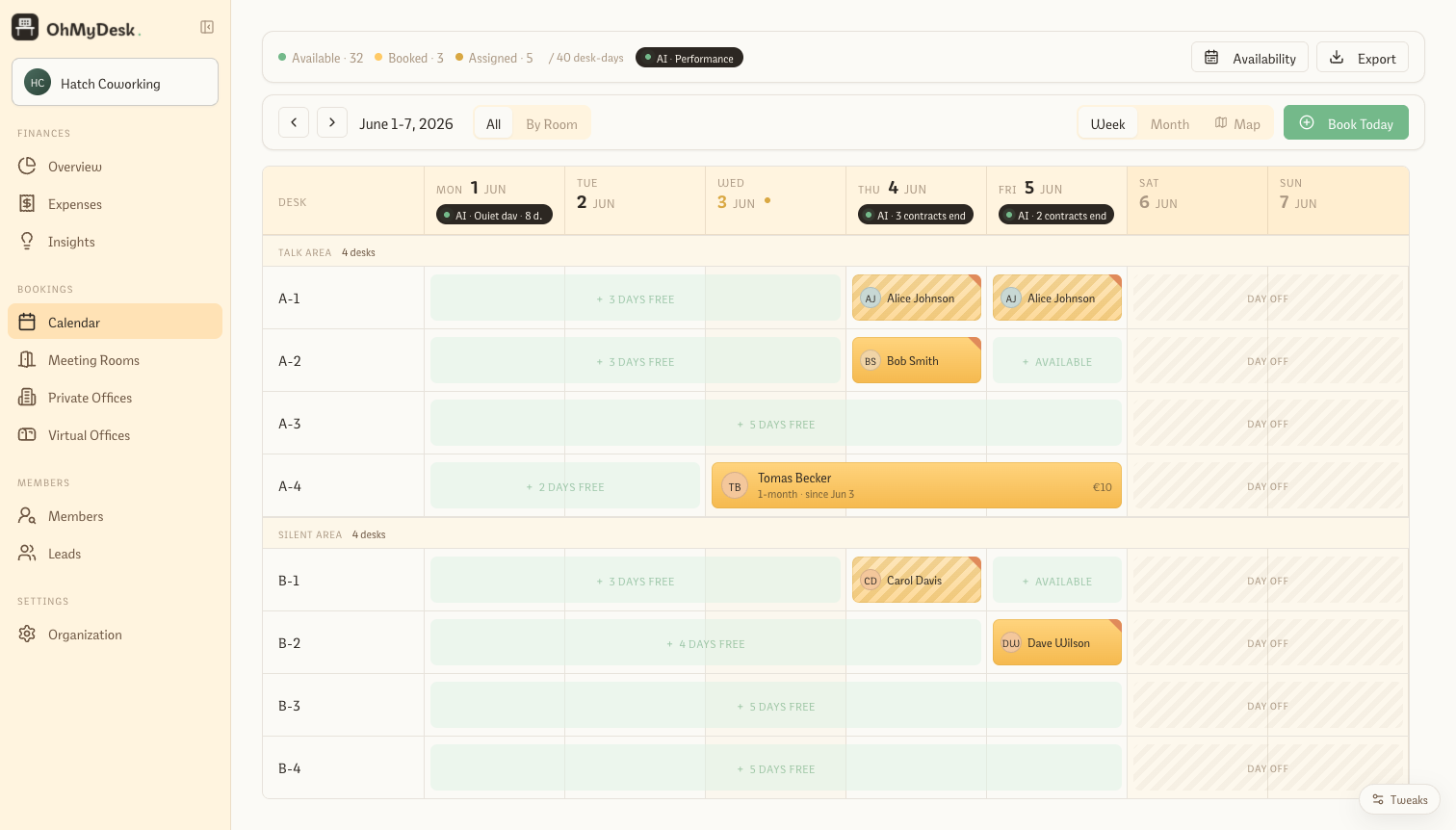
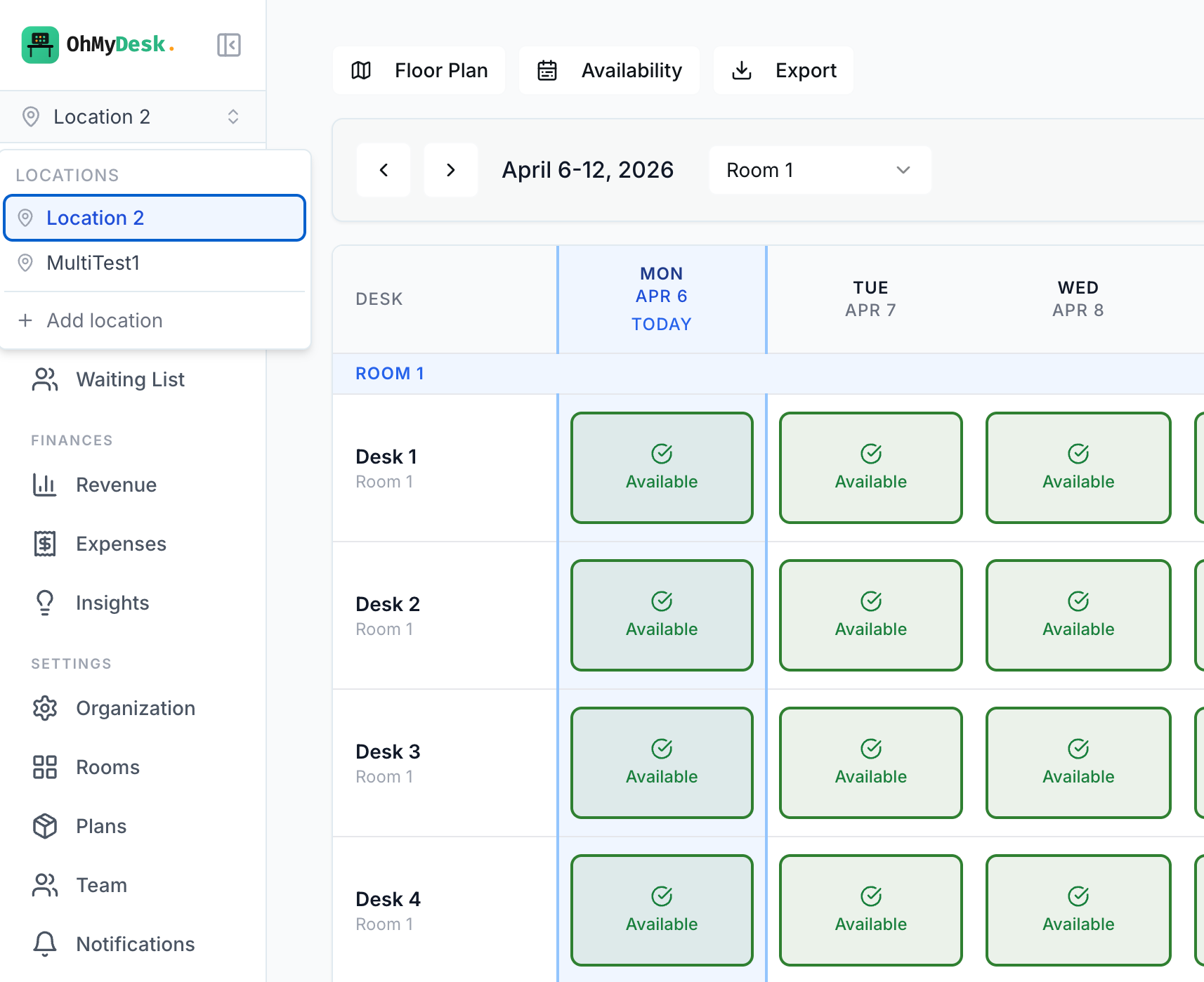
OhMyDesk shows every desk in every room as a color-coded weekly or monthly grid. Operators click a cell to book, drag to select a range, or ctrl-click for bulk updates — no dropdowns, no page reloads.
A weekly and monthly calendar grid showing every desk in every room at a glance. Click any cell to book, drag to select a range, ctrl-click to bulk update. Built for managers who need to see capacity at one look — not for end users hunting through dropdowns.
Weekly and monthly views with smooth navigation between weeks
Three booking states: Available, Booked, Paid — color-coded
Bulk operations: range selection, ctrl-click, multi-day bookings
Today is auto-highlighted and scrolled into view
Sub-second updates — no spinners between clicks
Working days and closure dates continue to block members and the public; operators can book a desk through either after an explicit confirmation
Add catalog extras such as coffee, a snack, or a locker to a desk or meeting-room booking. The member is charged your price, and removing the extra or cancelling the booking reverses the charge
Extras a visitor paid for online show on every day of that pass, marked as paid online. Deleting one day keeps them on the remaining days
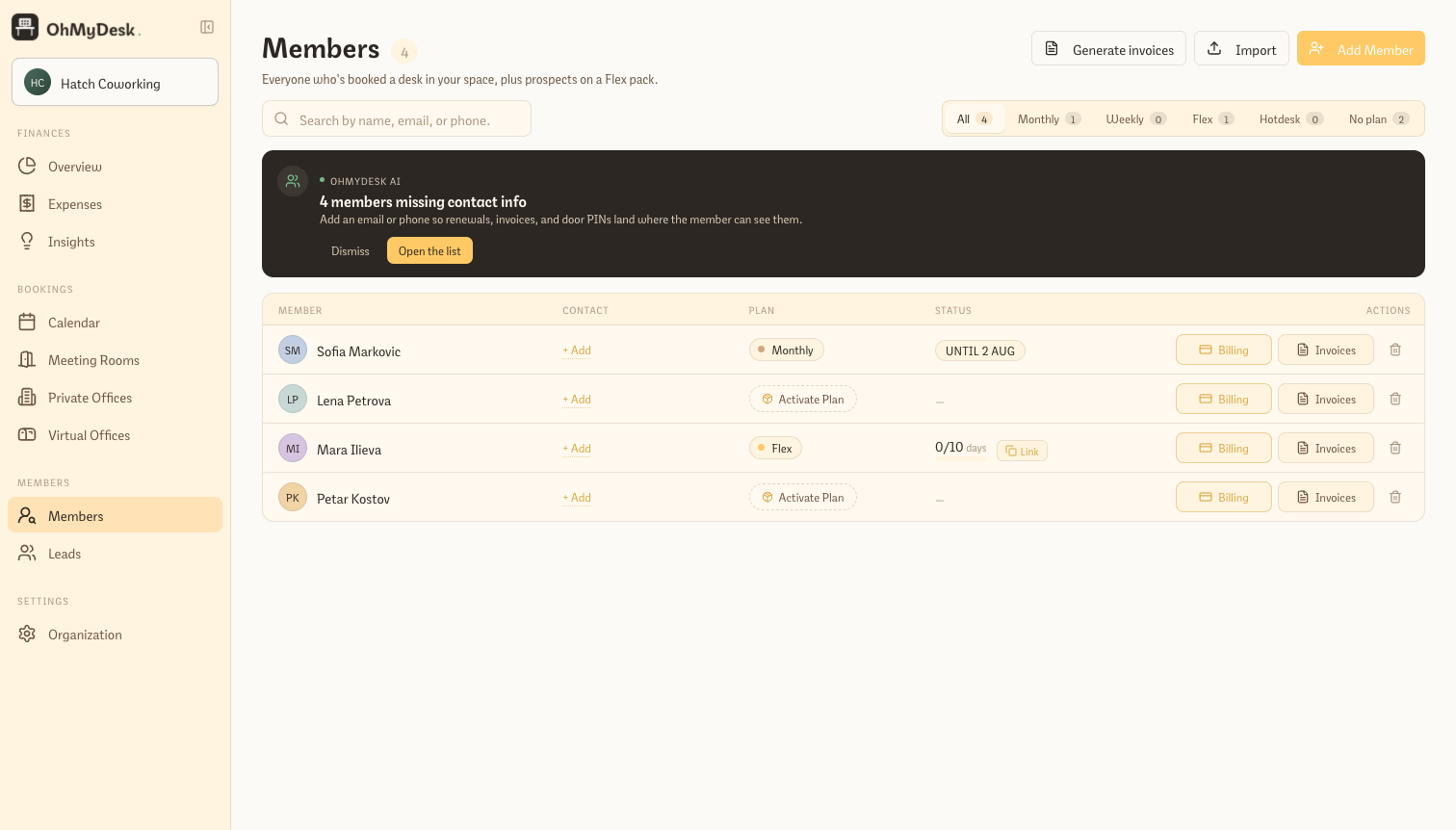
Persistent member records with everything you'd expect: contact info, visit history, current bookings, and balances. As you start typing a member's name in any booking, autocomplete fills the rest. No more typing the same person twenty times a month.
Autocomplete in every booking dialog — no duplicate entries
One wide member card with Overview, Bookings, and Billing tabs — Billing keeps invoices as documents and combines every charge and payment into one chronological Statement with a running balance
A simple signed balance: positive charges add what is owed, payments reduce it, and refunds or reversals stay visible as separate events — with no hidden payment allocation
Separate Payments and Charges registries with direct member and invoice links; attach an unassigned financial record to an existing member without rewriting its history
Anyone you book a desk for becomes a member automatically, and sits under a Leads tab until they buy a plan
Per-member visit history and active bookings at a glance
Phone, email, Telegram, and notes per member
Soft delete preserves historical bookings even after a member leaves
Member self-service booking link (no login required)
Bulk-import your existing members from a CSV, or migrate directly from OfficeRnD — duplicates are flagged before you commit
Give members like students or friends & family a lower rate — automatically
Create named pricing groups (Student, Friends & Family, whatever fits your space) with a percentage off, assign a member to one, and their discount applies across desks, meeting rooms, and private offices — no manual price typing every time they start a new plan.
Most spaces have at least one informal tier — a student discount, a friends-and-family rate, a returning-member perk. Doing that by hand means remembering to type a lower number every single time that member books, and hoping nobody forgets. Pricing Groups makes it a one-time setup: define a group with a discount percentage, assign members to it, and the discount applies automatically wherever a price is offered — across every sellable item, not just desks.
Named groups with a single percentage off (Student −20%, Friends & Family −15%, whatever fits)
Applies across desk plans, flex, hotdesk, virtual offices, meeting rooms, and private offices — one concept, every resource
Assign a member once from their profile — the discount pre-fills the next time they start a plan, still fully editable
If a member already has an active plan, you choose: apply the new rate going forward only, or update their current plan too — never applied silently
A quick filter and a badge on the member list show who is on a group at a glance
Completely hidden until you create your first group — no clutter for spaces that do not use it
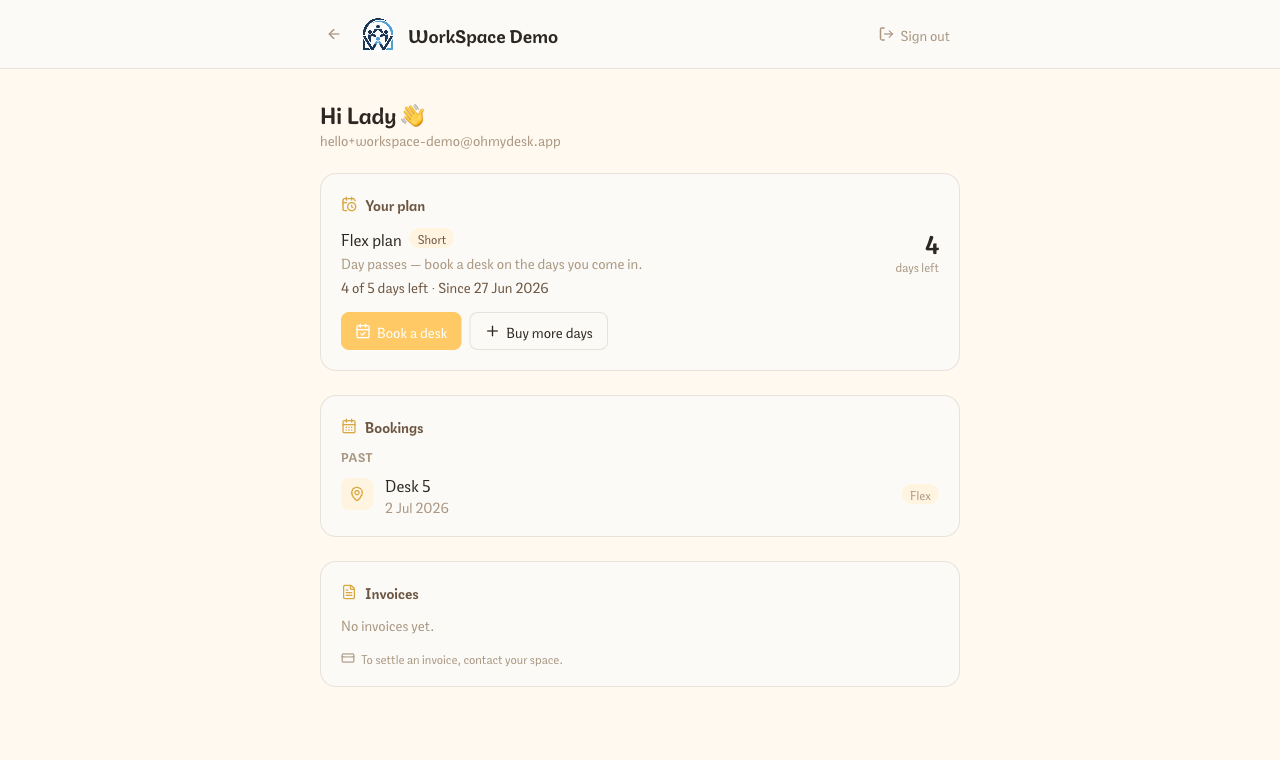
Every member gets their own logged-in portal — they sign in with Google or email to see their plan and day balance, their upcoming and past bookings, and their invoices. Turn on online payments and they settle invoices, top up flex days, or renew right there. Flex members also get a no-login link that opens straight to a date picker.
Members message you to ask “how many days do I have left?” or “can you resend my invoice?” — and every one of those is your time. The member portal hands that back to them. Send a member a single link; they claim it once and sign in with Google or email, and everything about their membership lands in one place: the plan they’re on, the balance they have left, the desks they’ve booked, and the invoices they owe — with a Pay button when you’ve switched on online payments. One account spans every space a member belongs to, and flex members additionally get a no-login link that opens straight to a date picker.
Members sign in with Google or email and land on a dashboard of their plan, day balance, bookings, and invoices
You invite them from the member’s own record — generate a single-use access link and share it your way; a per-member indicator shows who’s connected
Pay online (when enabled): settle an invoice by card, buy more flex days, or renew a fixed-term virtual office or hot desk — all through your own Stripe account
Flex members get a no-login booking link that opens to a date picker — one tap books a desk and decrements their balance
One account spans every space a member belongs to — they switch between memberships without logging in again
Members never see operator data — the portal is a separate identity scoped to just their own plan, bookings, and invoices
Weekly & monthly desk plans with freeze and reactivation
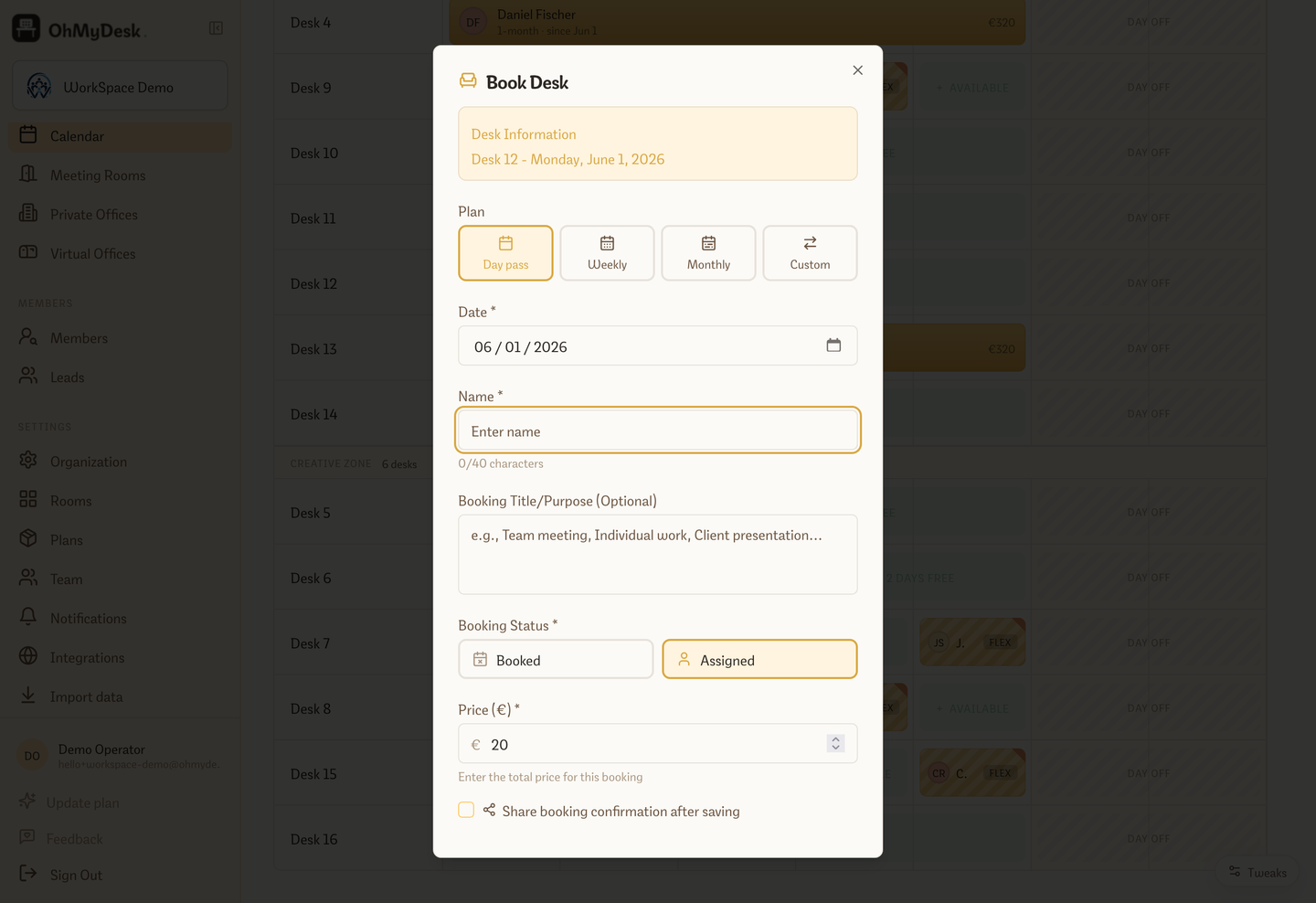
Assign a member to a dedicated desk for a week or a month in one click. If they need to pause mid-plan, freeze their remaining days and reactivate later on any available desk.
Fixed-price weekly (a seven-day term, with only trailing regular days off trimmed) and monthly (rolling calendar month) dedicated-desk plans. Configure prices in Settings, then select a plan when booking. If a member goes on holiday, freeze the plan to bank remaining days and free the desk. When they return, reactivate and the system finds available desks automatically — even splitting across multiple desks if needed.
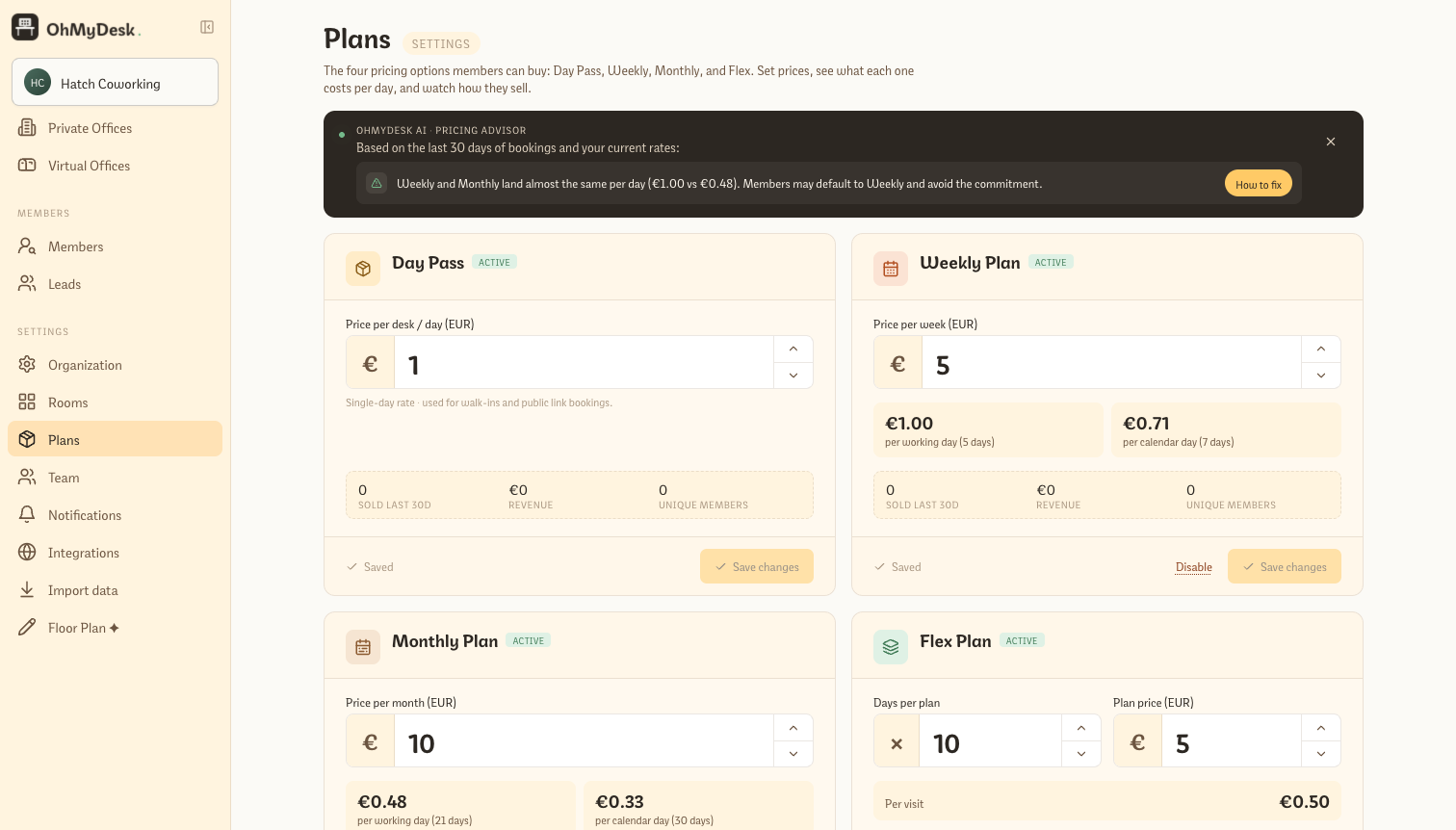
Weekly and monthly plan prices configurable in Settings with per-day cost breakdown
Plan selector in booking dialog: Day pass, Weekly, Monthly, or Custom range
Freeze a plan mid-way: remaining days are banked, desk is released, revenue prorates correctly
Reactivate from the Members page: system allocates banked days across available desks
Smart desk suggestions when the chosen desk is busy for the full plan range
Auto-creates a member record when booking with a new name
Rolling month-to-month desk contracts that never expire
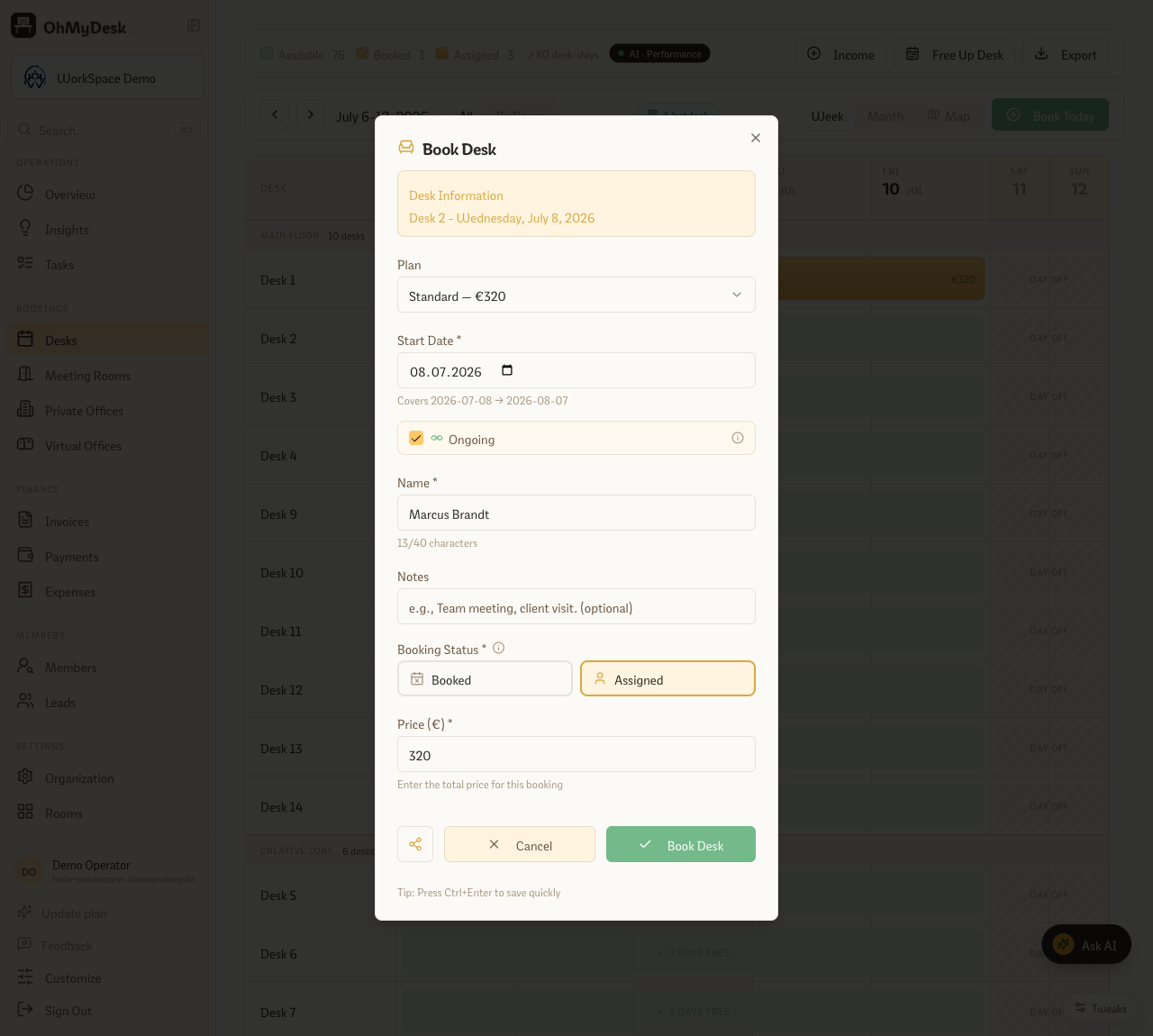
Assign a member to a dedicated desk with no end date. Tick “Ongoing” when you book and OhMyDesk keeps one paid month plus one pre-booked month always on the calendar — mark each month paid to roll it forward another month. No re-creating the booking every cycle.
Some members aren’t on a fixed plan — they take a desk “until further notice” and stay for a year. Recreating or manually extending that booking every month is pure busywork. Open-ended contracts remove it: when you book a monthly desk, tick Ongoing. OhMyDesk lays down the current paid month and pre-books the next one, so the desk is always held ahead. When the member pays for the coming month, one click marks it paid — the desk rolls forward and a fresh month appears on the runway. When they finally leave, End contract closes it on the date you choose. The desk is never accidentally double-booked, and you never rebuild the same assignment twice.
Tick “Ongoing” on any monthly assignment — no end date, and no re-booking each cycle
The runway model: one paid month plus one pre-booked month always sit on the calendar ahead, so the desk is never dropped
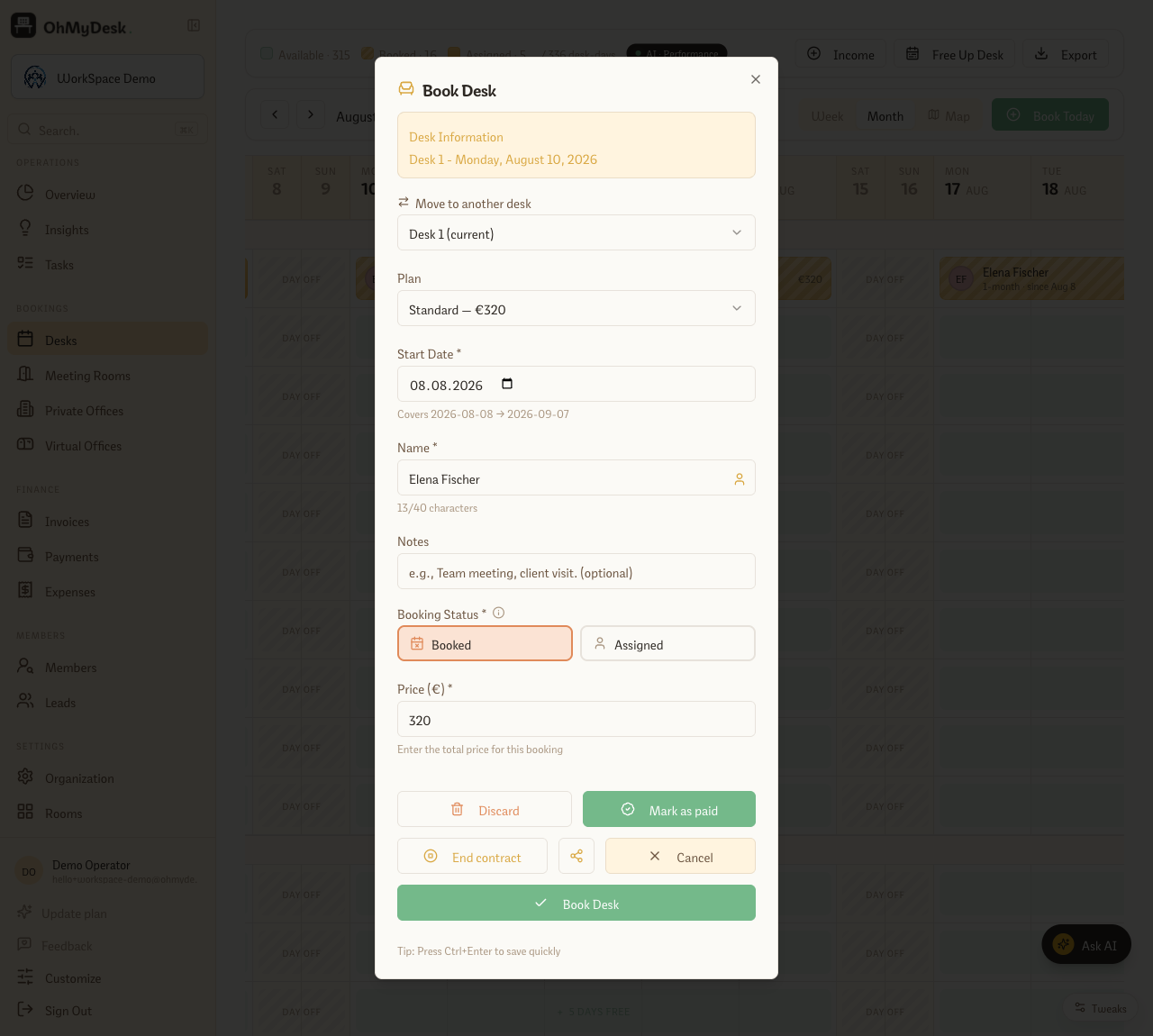
“Mark as paid” rolls the contract forward a month and lays down the next held month automatically
“End contract” closes it on a date you choose and clears the held months in one step
Conflict-safe: if the next month’s desk is already taken, the roll-forward stops and tells you first — no half-advanced contracts
The calendar shows the assignment running “since” its start date, so an open-ended member is never mistaken for a plan that’s about to lapse
Flex plans let you sell prepaid day-pass bundles (e.g. "10 days for €80"). Members self-book via a personal link and their balance decrements automatically — no admin involvement needed per booking.
Sell prepaid day packages (e.g. "10 days for €80") instead of forcing members onto monthly subscriptions. Each member gets a personal booking link, picks the days they want, and the system tracks their balance automatically. Perfect for hybrid workers.
Configurable packages: number of days, price, validity period
Members self-book via personal link — no admin involvement
Balance auto-decrements with each booking
Email reminders when balance is low or about to expire
Disable mid-flight without losing any historical balance data
Monthly hotdesk memberships — unlimited access, zero per-day admin
Sell a flat monthly "any free desk" membership. Members walk in, sit wherever is free, and leave — no booking required, no balance to track. You collect predictable recurring revenue; OhMyDesk tracks who is active and factors it into your occupancy and revenue reports.
Some members don't want to think about days or desks — they just want a pass that works all month. Hotdesk plans are exactly that: a flat monthly fee for unlimited access to any available desk. No per-day booking rows, no balance to chase, no admin per visit. Enable the plan once on your Plans page, set a price, and activate it per member with a single click. OhMyDesk handles the rest: demand is surfaced live on the calendar, revenue lands in your Overview, and members can be renewed in one tap when their period ends.
Enable once in Plans settings, activate per member with one click
Configurable plan period per activation (default 30 days, adjustable at the time of activation)
Live demand chip on the calendar navigation: green when desks are plentiful, red when hotdesk members risk crowding out day-pass visitors
Before you activate a membership, see the active hotdesk count against your desk capacity; a warning at the planning threshold informs the decision without blocking a sale
Hotdesk revenue and occupancy contribution calculated automatically in Overview → Revenue by plan
When a period ends, member is flagged "No plan" with a one-click reactivation — no manual cleanup
Virtual office plans — sell an address, not a desk
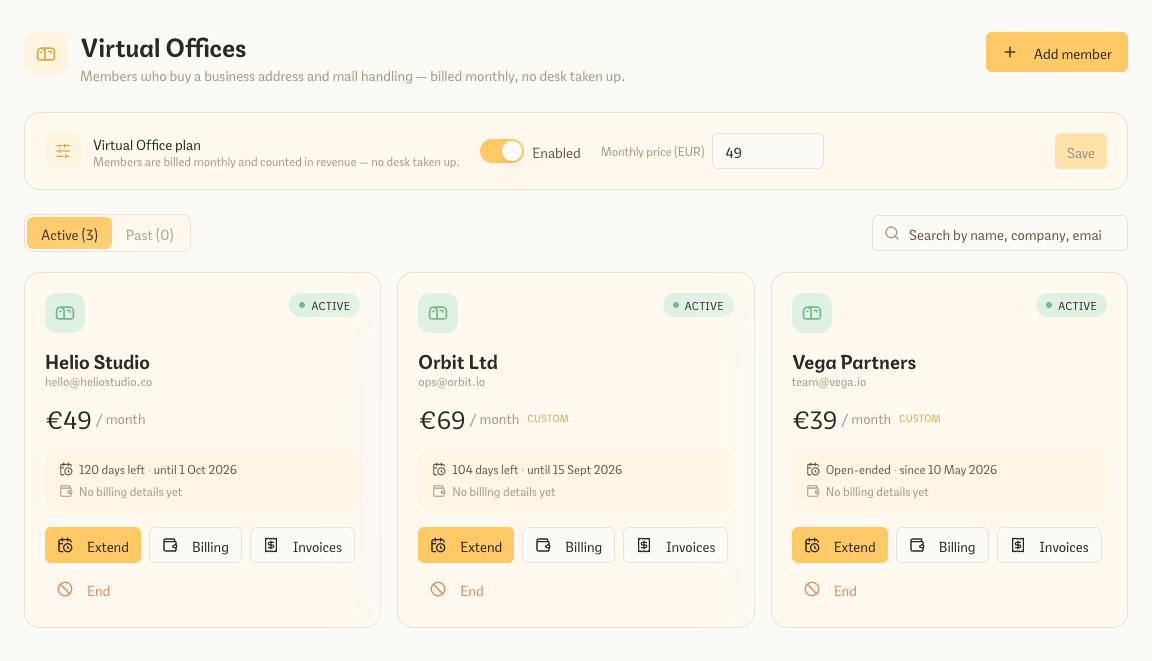
Virtual office plans bill members who buy a business address and mail handling but never use a desk. Manage them on their own Virtual Offices page — billing, invoices, per-member pricing, and renewals — while their fee counts toward revenue but stays out of desk occupancy and the calendar demand signal.
Plenty of operators sell more than desks: a registered business address, mail handling, somewhere to receive clients now and then. Virtual office plans track those members properly — and they get their own Virtual Offices page, right next to Private Offices, to manage at a glance. Turn the plan on and set a price from the page, activate it per member, then search, re-price, invoice, and renew without digging through your member list. Because a virtual office member never occupies a desk, their revenue lands in your reports while staying out of occupancy and demand math.
A dedicated Virtual Offices page with Active and Past members in cards by default, or a compact list whenever you need to scan faster, plus search by name, company or email
Open a member into the full-width overview drawer to see the exact plan, price, term, and billing address together, then jump straight to their full member record
Per-member monthly price — override the plan default for a specific company
Extend or end a period in place (with an open-ended option) and renew expired members in one step
Edit billing and raise invoices from each member’s card; switch on auto-invoicing for hands-off monthly billing
Fees count toward revenue but are excluded from desk occupancy and the calendar demand signal
Imports cleanly from OfficeRnD — map the plan once and matching members activate automatically
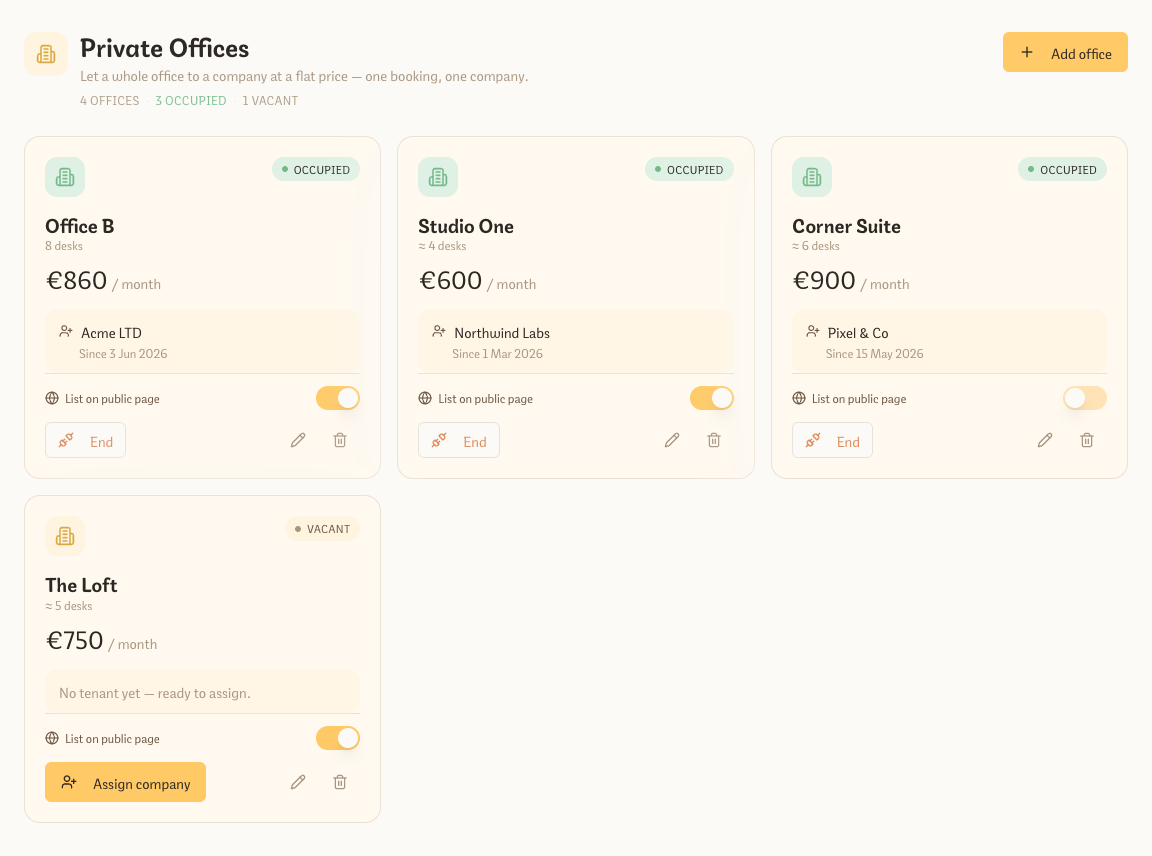
Private offices let you sell a closed office to one company at a flat monthly price — not desk by desk. Define each office, assign a company on an open-ended or fixed-term agreement, and the rent flows into your revenue while occupancy stays clear.
Not every space is just open desks. Private offices let you sell a whole room to a single company as one unit, at a flat monthly price. Define each office on the Private Offices page (name, monthly price, optional size), then assign a company on an open-ended or fixed-term agreement — it shows on the company’s member record and the rent flows straight into your Overview and Insights. List an office publicly and prospective companies can request it (landing as a lead with an instant Telegram + email alert) or, with Stripe office payments on, reserve it on the spot by paying the first month online.
Sell an office as one unit at a flat monthly price — no per-desk juggling
Open-ended (recurring monthly) or fixed-term agreements, with a per-tenant price override
Occupied / vacant at a glance; assigning a company creates or links its member record for invoicing
Switch between cards and a table, with filters, sorting, and a detail sheet that shows the company and billing address
The first month is charged to the company the moment you assign the office — no waiting for an overnight run
List an office on your public booking page — requests arrive as leads with instant Telegram + email alerts
Optional Stripe office payments let a company reserve by paying the first month online
Auto-invoice open-ended offices: a monthly draft is raised each cycle alongside your desk members
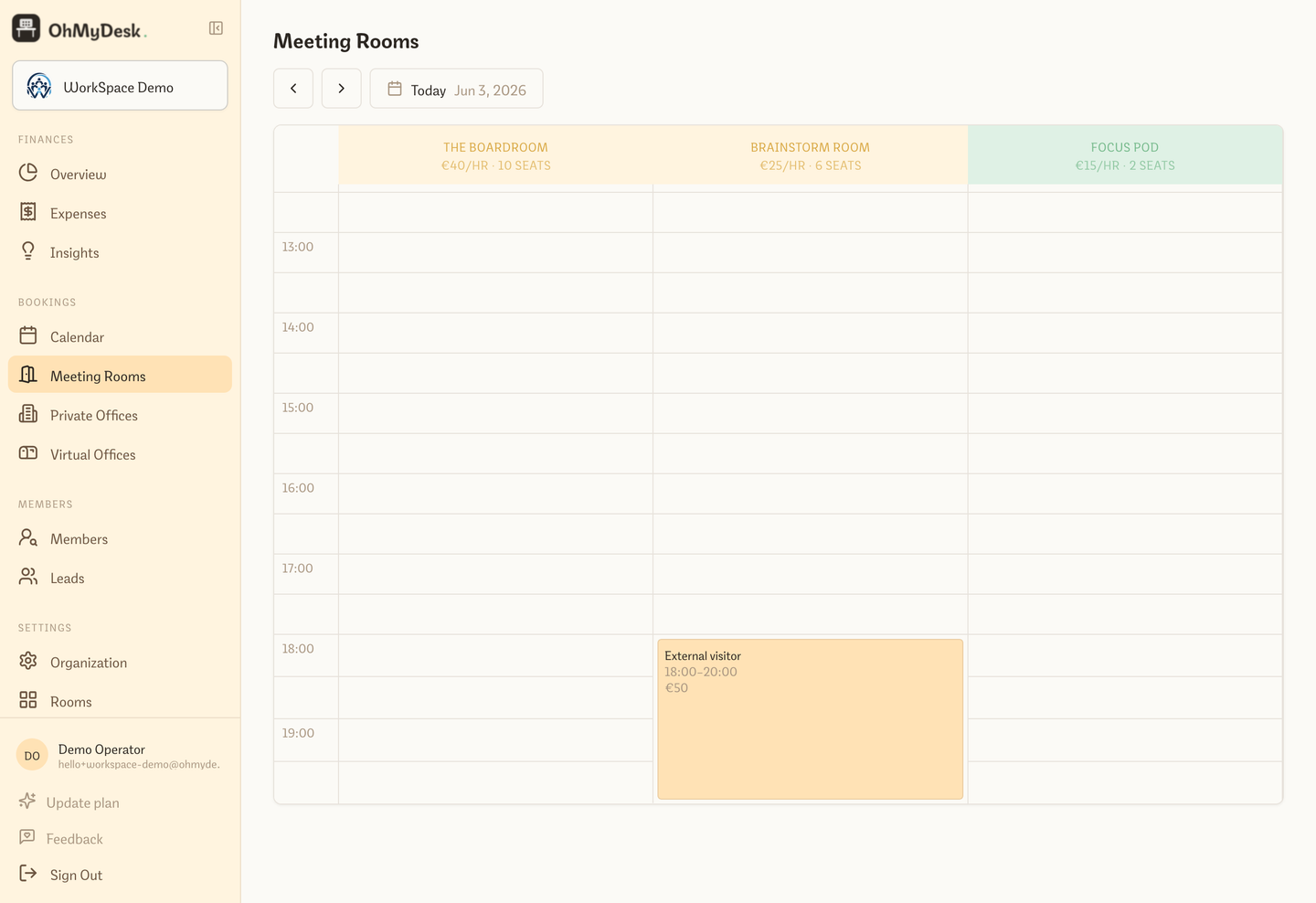
Separate hourly grid for conference rooms with their own pricing and rules. Avoid conflicts automatically and track meeting room revenue alongside desk revenue without mixing them up. Half-hour granularity by default.
Click or drag across hourly time slots to prefill an exact reservation range; operators can expand closed hours and confirm an exception while public visitors remain inside the room schedule
Set operating hours per day of the week (e.g. Mon–Fri 7:30am–9pm, Sat 7:30am–6pm), with an optional override per room — enforced on every booking, not just shown in the UI
Per-room pricing (different rates for different rooms)
Optional per-room rule, on by default: an hourly booking is free when that member also has an active desk booking on the same date; whole-day bookings always keep their tariff
Booked-by attribution and contact info on every reservation
Revenue tracked separately from desks for clean reporting
Dedicated public meeting-room booking page — visitors reserve a room with no account, double-bookings blocked at the database level
Hourly bookings can collect payment online when meeting-room Stripe is enabled — slot held for 30 minutes during checkout, cancelled if unpaid, confirmed on payment
Sell prepaid hour packs to regulars (e.g. tutors) at a custom price, then burn down the balance automatically as bookings happen — top up any time without resetting hours already used
Price extras such as coffee and snacks per person: the booking asks how many people are coming and charges every one of them, online or on the member's balance — and limit any extra to the rooms that offer it
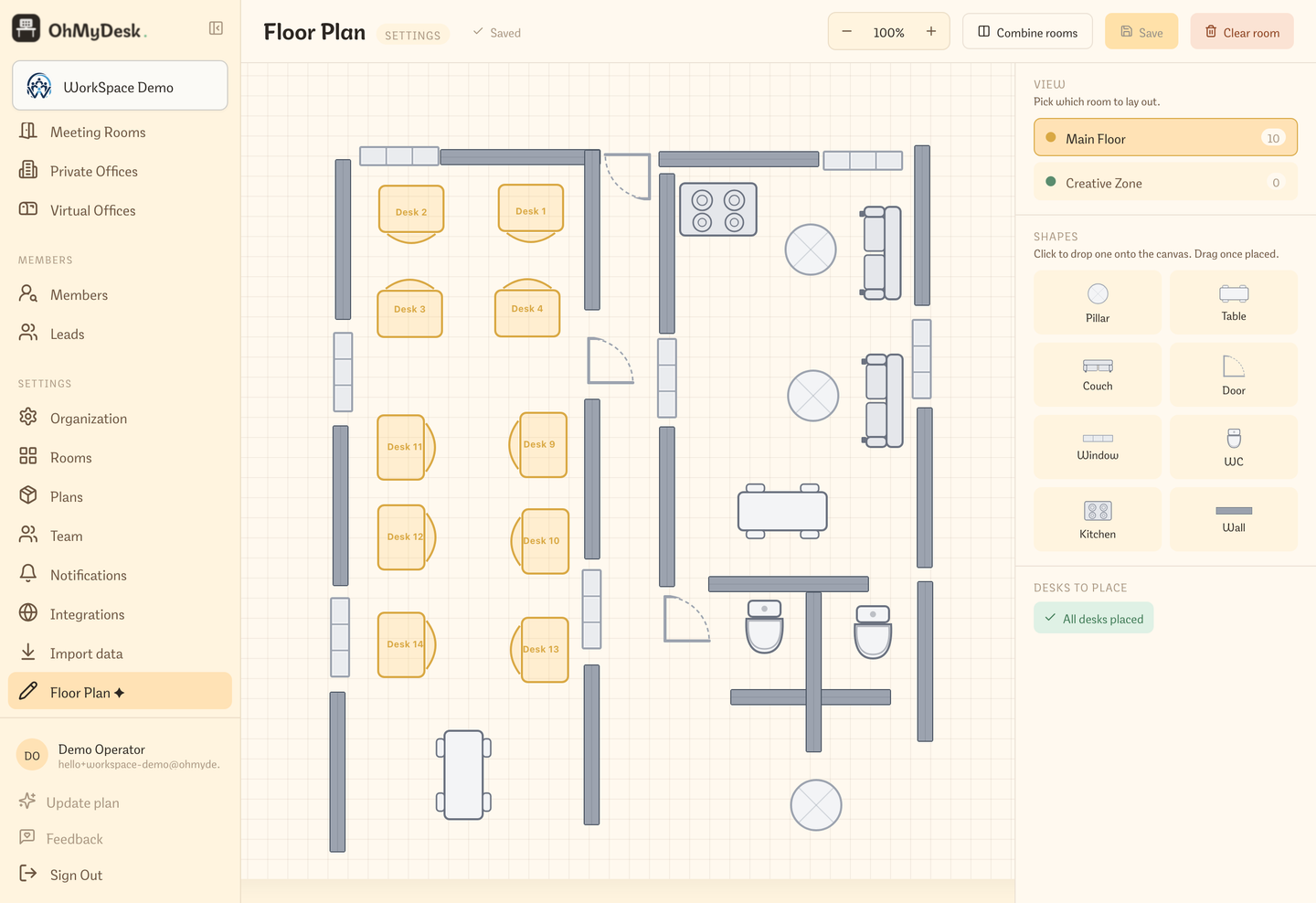
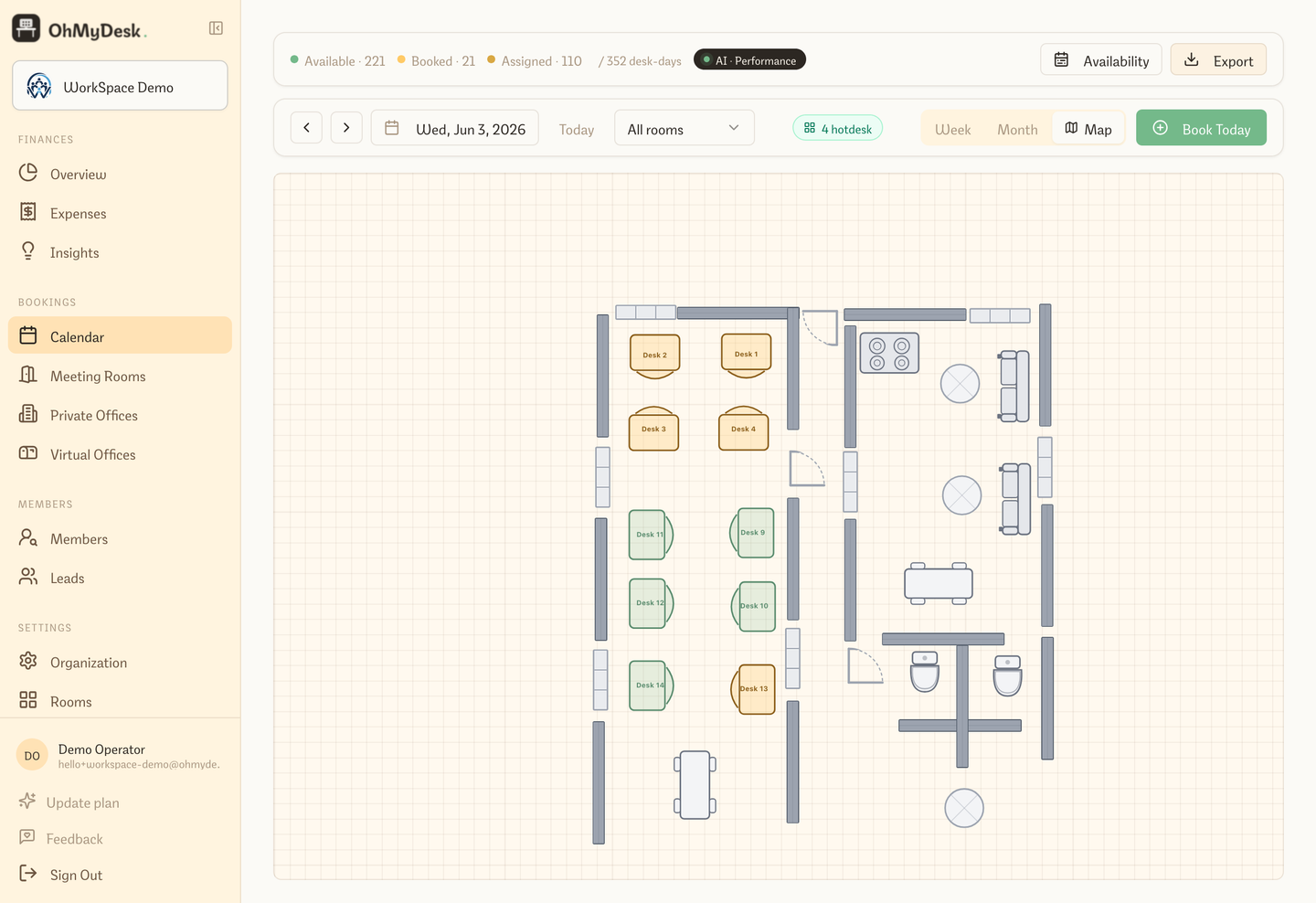
Draw your actual space inside OhMyDesk — drag desks, tables, couches, walls, and doors onto a canvas that matches your real layout. No external tools, no image uploads. The plan auto-saves every 10 seconds and powers the Map calendar view.
A drag-and-drop canvas where you recreate your real space: every desk, table, couch, wall, door, window, and room feature. Run multiple rooms on a single shared canvas if your space is open-plan. Once built, the floor plan becomes a live booking surface — not just a static image.
Map calendar view — see your space, not a spreadsheet
Switch to Map view in the calendar and see your actual floor plan with every desk colour-coded by its booking status for the selected date. Click any desk to open the booking modal directly from the map.
A third calendar mode alongside Week and Month. Instead of rows and columns, you see your real floor plan with desks lit up by status: green for available, orange for booked, blue for assigned. Pick any date, click any desk, make or edit a booking — without ever leaving the map.
Real floor plan rendered live — not a static image
Colour-coded desk status: green (available), orange (booked), blue (assigned)
Click any desk to open the booking modal directly
Date navigation skips weekends and non-working days automatically
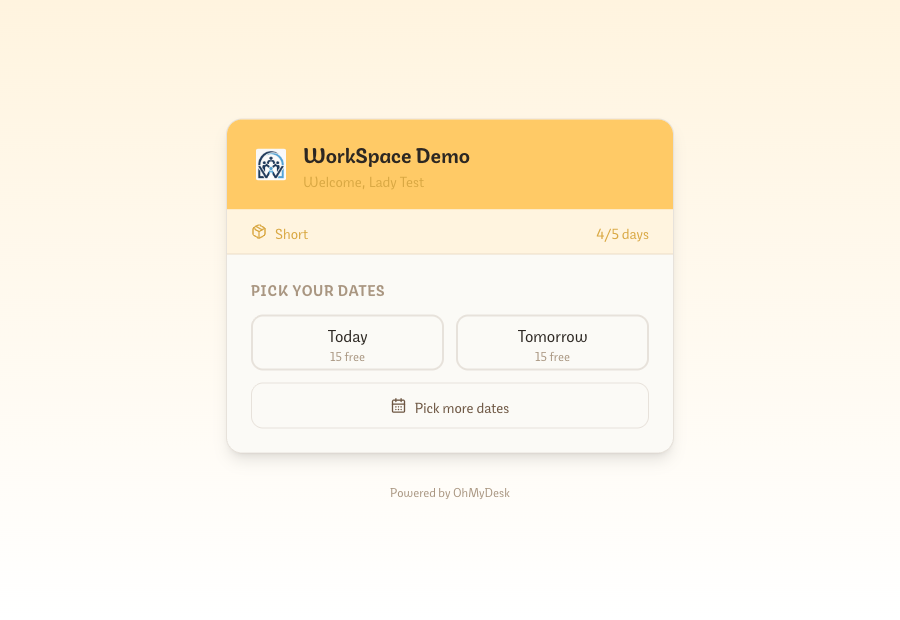
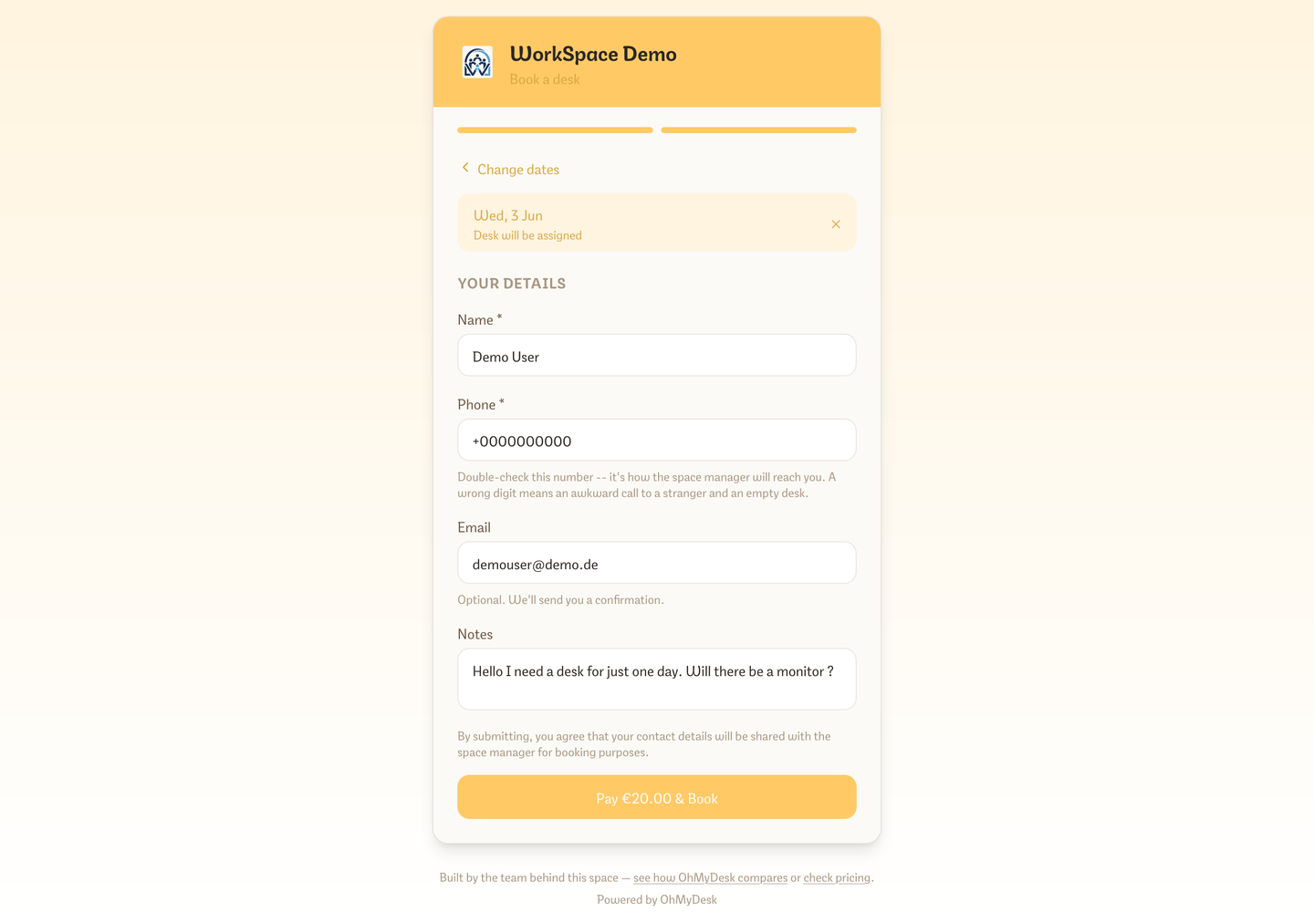
Each coworking space gets a shareable public booking URL. Visitors see live availability and book desks or meeting rooms without an account; office requests go to Leads. Optional email and phone matching links a booking to an existing member.
A no-login booking page anyone can use. Share the link in social media, on flyers, or on your own website. Visitors see real-time availability and confirm desk or room bookings directly; office requests go to Leads. When automatic member matching is enabled, an unambiguous email or phone match links the booking without using names.
Real-time availability — visitors see live desk and meeting room slots
Contact bar — phone, email, website, Instagram, LinkedIn, Telegram, WhatsApp, and Viber icons when you add them in settings
Copy the right public link directly from Desks, Meeting Rooms, or Private Offices when you are ready to share it
The public catalog lists every day-pass, flex, weekly, and monthly variant you sell, plus each named meeting room — visitors do not need an admin login to see them
Weekly and monthly passes let visitors pick their own start date instead of being locked to the next available day
No account required — fill name, email, dates and submit
Optional automatic member matching links a booking only when email or phone identifies one member — never by name; contacts with no existing member match appear in Leads
Public booking settings are grouped by desk, room, and office flow, with the website embed snippet in its own card
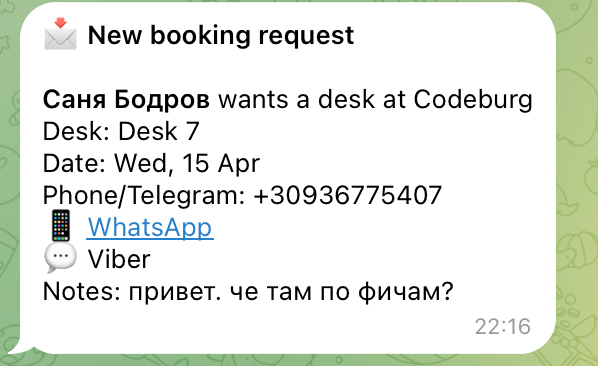
Instant Telegram notification to admins on every new booking or office request
Desk and meeting-room bookings confirm directly; office requests stay in Leads
One-tap switcher between Desks, Plans, Meeting Rooms, and Offices so visitors can browse between booking options from any page
Multi-language booking door: seamless toggle between English and German matching your space settings
Free SEO surface — every coworking space gets its own indexable page
Stable thank-you URL and a JavaScript event for Google Ads and GA4 when a booking completes — copy them from Settings → Integrations → Public booking
Visitors can add extras you marked public, such as coffee or a locker, when they buy a day, weekly, or monthly desk pass online and pay for them in the same checkout
Add your own Terms of Use and privacy policy as a PDF or a link: every checkout shows “By placing this order, I accept the Terms of Use” and asks visitors to confirm your privacy policy before they book
Let visitors pay for day passes online before their booking is confirmed. Each space connects their own Stripe account — funds go directly to them and OhMyDesk takes no cut.
Enable paid public bookings in two minutes. Each coworking space connects their own Stripe account from Settings → Integrations (just paste your API keys — no complicated Stripe Connect onboarding). Flip the "Charge visitors" toggle and the public booking page instantly switches from "Book Desk" to "Pay €X & Book". Visitors go through Stripe Hosted Checkout, payment confirms the booking automatically, and the funds land directly in your Stripe account.
Connect your own Stripe account — OhMyDesk never touches the money
Per-feature toggle: turn paid bookings on or off without disconnecting Stripe
Hosted Stripe Checkout — no card data ever touches OhMyDesk
Booking auto-confirmed via webhook after successful payment
Multi-day desk bookings charge the same per-day rate as a single day pass — pick two days, pay for two
VAT is charged the same way on desks, rooms, and plans — listed prices are net or already-gross, one setting
Anonymous Stripe payments for desks, flex, and offices now create a paid invoice so they show in Payments
A paid day, weekly, or monthly desk pass can include public extras as their own Stripe lines. On a subscription those extras are charged once, with the first payment
Cancellation handled gracefully: visitors can retry after abandoning checkout; unpaid meeting-room holds expire after 30 minutes and never create an invoice
A public booking with an email you already have updates that member — company name, address, and VAT land on the member and the invoice
Paid bookings show a Stripe-coloured indigo marker on the calendar
Opt-in recurring weekly and monthly passes via Stripe Subscriptions — off by default in Settings → Integrations → Stripe; auto-charges each period, reserves the desk with continuity, and syncs smart lock access
Graceful renewal lifecycle: cancel at period end allows members to finish their paid period with zero refund friction
Multi-currency support — visitors pay in whatever currency your space is set to
Connect your existing smart-lock account (Nuki, August, Yale, Salto, Latch, TTLock, and 15+ more) and OhMyDesk issues each member a personal PIN when they book — valid only for their dates, revoked automatically on cancellation. Available on the Premium plan, free during the 3-month trial.
Stop handing out keys or rekeying after every booking. Connect your lock vendor account once in Settings → Integrations and OhMyDesk handles access for every booking automatically: a personal PIN is emailed to the member when they book, scoped to exactly their dates and removed the moment they cancel. Access windows respect your space's timezone, and editing a booking rotates the PIN in place. For flex members, the lock can burn a day only when the member actually walks in — so nobody loses a day they didn't use.
Connect Nuki, August, Yale, Schlage, Salto, Latch, TTLock, and 15+ more brands in one click
Per-member PIN issued on booking — from the calendar, a paid public desk booking, or a flex member booking their own day — valid only for those dates, revoked on cancellation
Access windows computed in your space timezone; editing a booking rotates the PIN and re-sends it
Flex burn-on-entry: a flex day comes off the balance only when the member opens the door
Door-entry audit trail per member — see who came in, and when
Door codes follow your opening hours. Weekly and monthly passes can be switched to 24/7 for the whole period; day passes stay on opening hours until you change that
Extra doors: map more locks (a makerspace, a storage room) next to the front door and choose per member who gets in; their booking PIN opens those doors too. $15/month per extra lock on a paid plan
Available on the Premium plan (free during the 3-month trial)
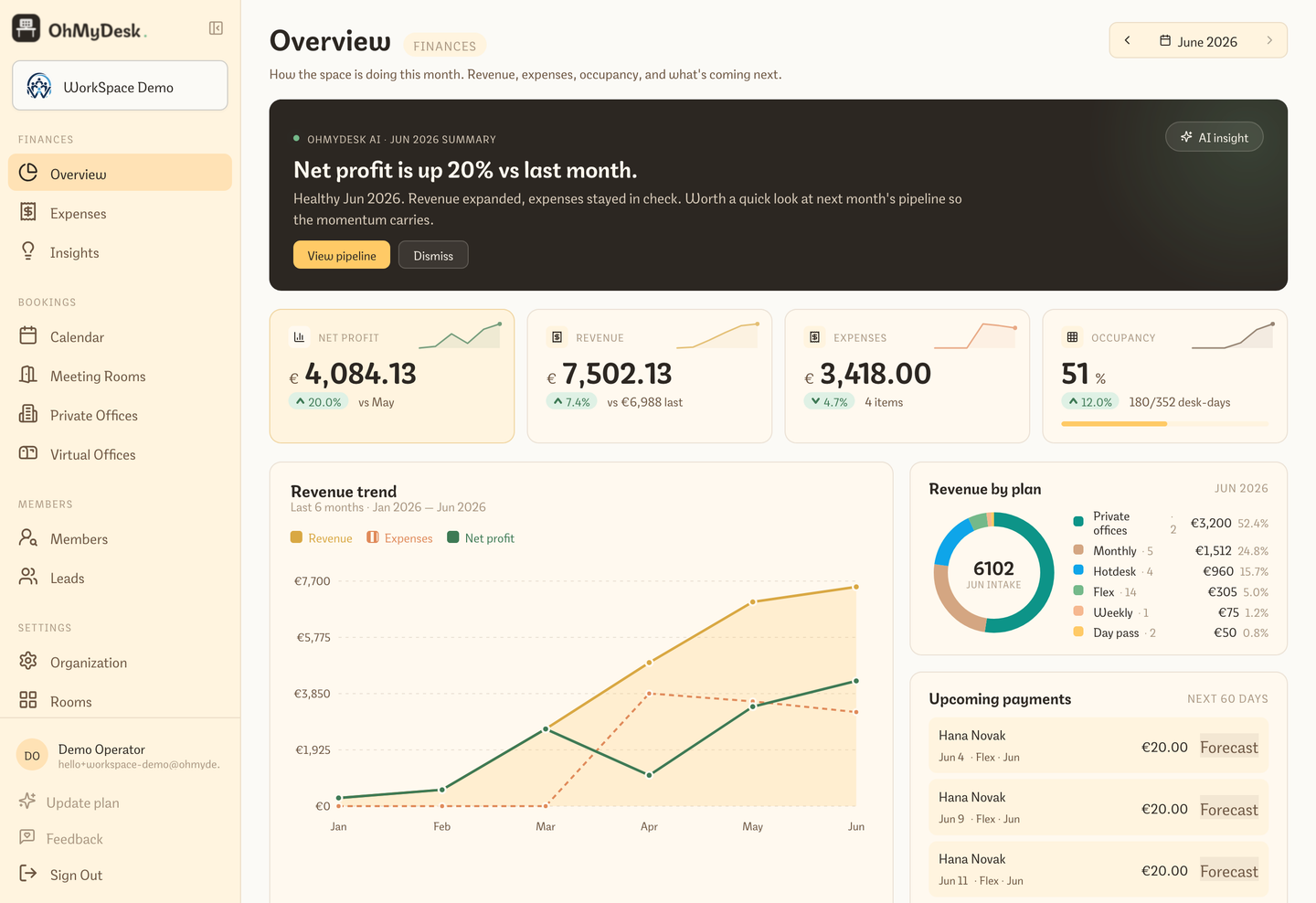
The Overview dashboard leads with Net profit, then Revenue, Expenses, and Occupancy — each with a 6-month sparkline and a delta vs last month. A Revenue-by-plan donut shows which plan type carries the month. Owner-only by default.
The old Revenue page grew into Overview, a real finances dashboard under Finances. Four KPI cards lead with Net profit — the number that actually matters — followed by Revenue, Expenses, and Occupancy, each with a 6-month sparkline and a month-over-month delta. A three-series trend chart overlays revenue, expenses, and net profit; a Revenue-by-plan donut shows which plan type is paying the bills; and Upcoming payments looks 60 days ahead.
Net profit, Revenue, Expenses, and Occupancy KPIs with 6-month sparklines and deltas
Three-series trend chart (revenue area, expenses, net profit) with a hover crosshair
Choose whether revenue follows money received or services delivered; enable either view or both in Organization settings and switch the dashboard without changing any bookings
Service-revenue totals refresh when you open Overview or save a paid booking — no overnight wait for today's day passes
Revenue by plan donut — see which plan type carries the month
Upcoming payments for the next 60 days, plus top contributors by share of revenue
AI · Performance band surfaces the single most important signal to act on
Owner-only by default — staff and members never see numbers
One shared task list for the whole management team
Owners and managers share one task list across every location, with optional notes and deadlines. Tasks due tomorrow trigger a 09:00 Telegram reminder, with email fallback when Telegram is not connected.
The maintenance job someone mentioned at the front desk, the member follow-up sitting in a private note, the supplies that need ordering before Monday — small operational tasks are easy to lose when every manager keeps their own list. Shared Tasks puts one simple to-do list inside OhMyDesk. Every owner and manager sees the same work across all locations, can add context and a deadline, and can complete or reopen tasks together.
One shared list for all owners and managers across every location
A focused empty state gives a new team one clear first-task action, while the header action appears once work already exists
Required title with optional notes and a date-only deadline
Open tasks sort by urgency; completed tasks remain available for reference
Edit, complete, reopen, or delete tasks without assigning them to individuals
One 09:00 reminder digest the day before a deadline — Telegram first, manager email fallback
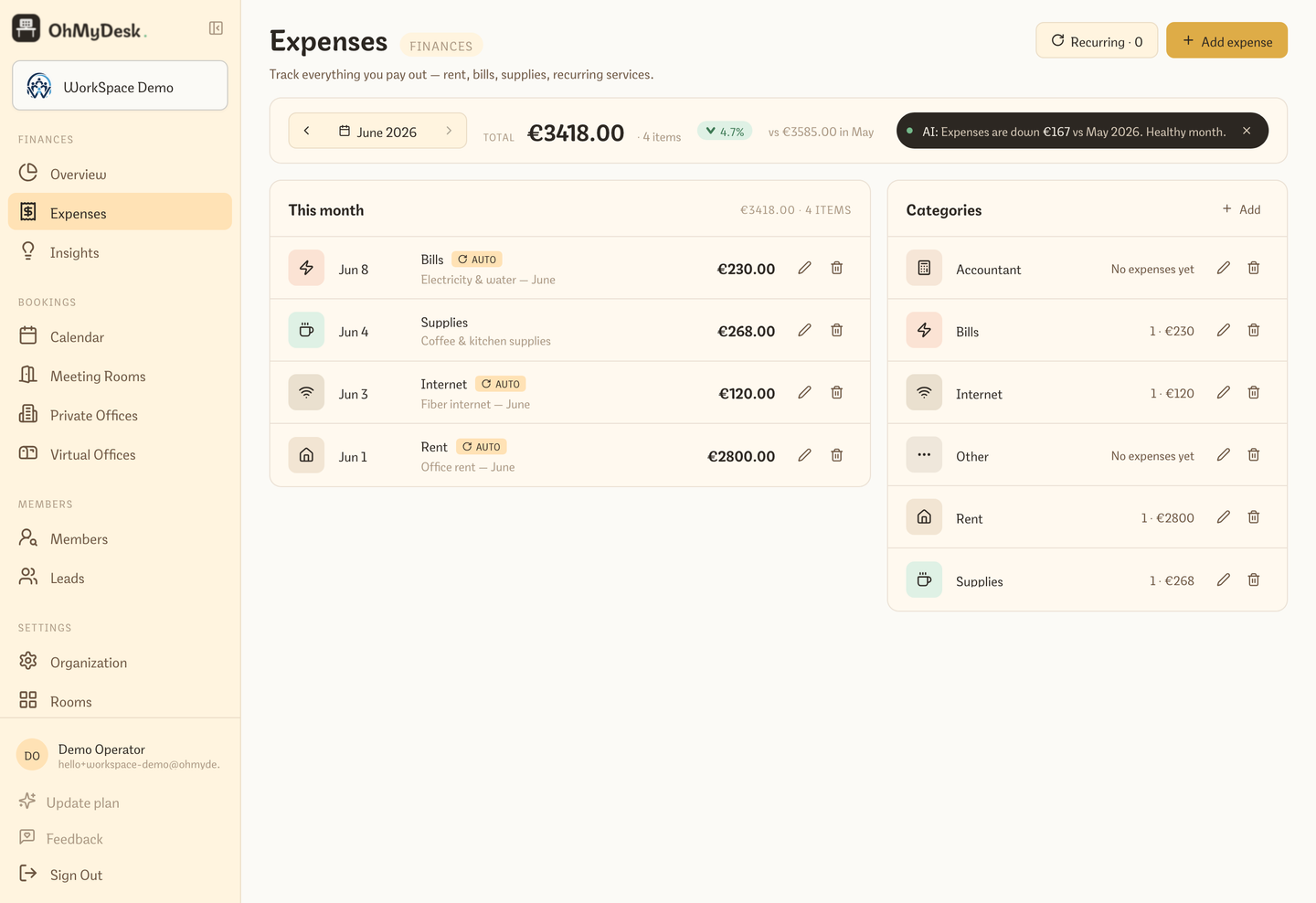
Track recurring and one-off expenses against custom categories you define. Every new workspace starts with sensible defaults (Rent, Supplies, Internet, Bills, Accountant, Other) and you can rename or add your own. Net revenue (revenue minus expenses) is computed automatically.
Member invoicing — PDF generation, auto-billing, and split billing
Generate proper PDF invoices per member with an explicit covered period, including calendar-month lines that automatically prorate partial months from an active plan. For each Hotdesk or Virtual Office tier and each Private Office, choose a shared calendar billing date or a full rolling month from the assignment date; new agreements keep that choice. Email invoices in one click and mark them paid or void — invoice numbers are never reused. Customize every printed label for your local language or accountant wording. A member can carry more than one billing profile (their own plus, say, their company), and you can bill each plan they’re on to a different payer. Turn on auto-invoicing and OhMyDesk drafts each month’s invoices — for desks, virtual offices, and private offices — on a day you pick.
Stop opening Word to bill your members. Save your space's legal name, tax ID, and bank details once, save each member's billing details once, and every invoice auto-fills. Set the dates the charge covers, generate a PDF with a live preview, send it as a branded email, then mark it paid or void from the same dialog — numbering is preserved and never reused. A member doesn't have to bill to a single payer: give them extra billing profiles — their own details plus their company's, for example — and point each plan at the right one, so a member's desk can invoice to them personally while their virtual office invoices to their company, as two separate invoices. Opt members into auto-invoicing and OhMyDesk drafts every recurring plan — monthly desks, virtual offices, and private offices — on your chosen day each month, grouped by payer, then emails you a digest of what was drafted and what was skipped.
Per-member PDF invoices with a live preview as you type
Open the exact invoice from a payment or member record, with a stable link you can share or bookmark
Payments link to their invoice or readable booking context, and a member multi-select filters both Charges and Payments
Interactive payment entry opens the full form with available invoice or booking details prefilled, including Extra earnings; the calendar keeps its express Mark as paid action
A recipient can unlink a shared billing profile from their own member record without deleting the profile or affecting other members
Every invoice states the covered period in the ledger, member history, and PDF; month filtering follows period overlap
Generate editable monthly lines from an active plan — incomplete months prorate by calendar day and recalculate when the covered dates change
Choose calendar-month or assignment-date alignment per Hotdesk/Virtual Office tier or Private Office; new agreements snapshot the setting and prorate the first shared-date period
Customize invoice PDF labels per space — header labels, table columns, tax, totals, and notes can use your local language
One-click send as a branded email; mark paid (with timestamp) or void without reusing numbers
Drafts never affect the balance; first send posts one Charge or links the invoice to the Charges already created by its bookings and plans
Multiple billing profiles per member — bill some plans to the member, others to their company
Point each plan at its own payer; auto-invoicing drafts them as separate invoices in the same monthly run
Auto-invoicing covers every recurring plan — monthly desks, virtual offices, and private offices — on a day you pick, with an email digest
Space-level seller details and VAT rate; works in any currency, with Cyrillic, Greek, and accented Latin for international clients
Export every invoice issued in a month as a CSV for your accountant — semicolon-separated with decimal commas when you use the app in German
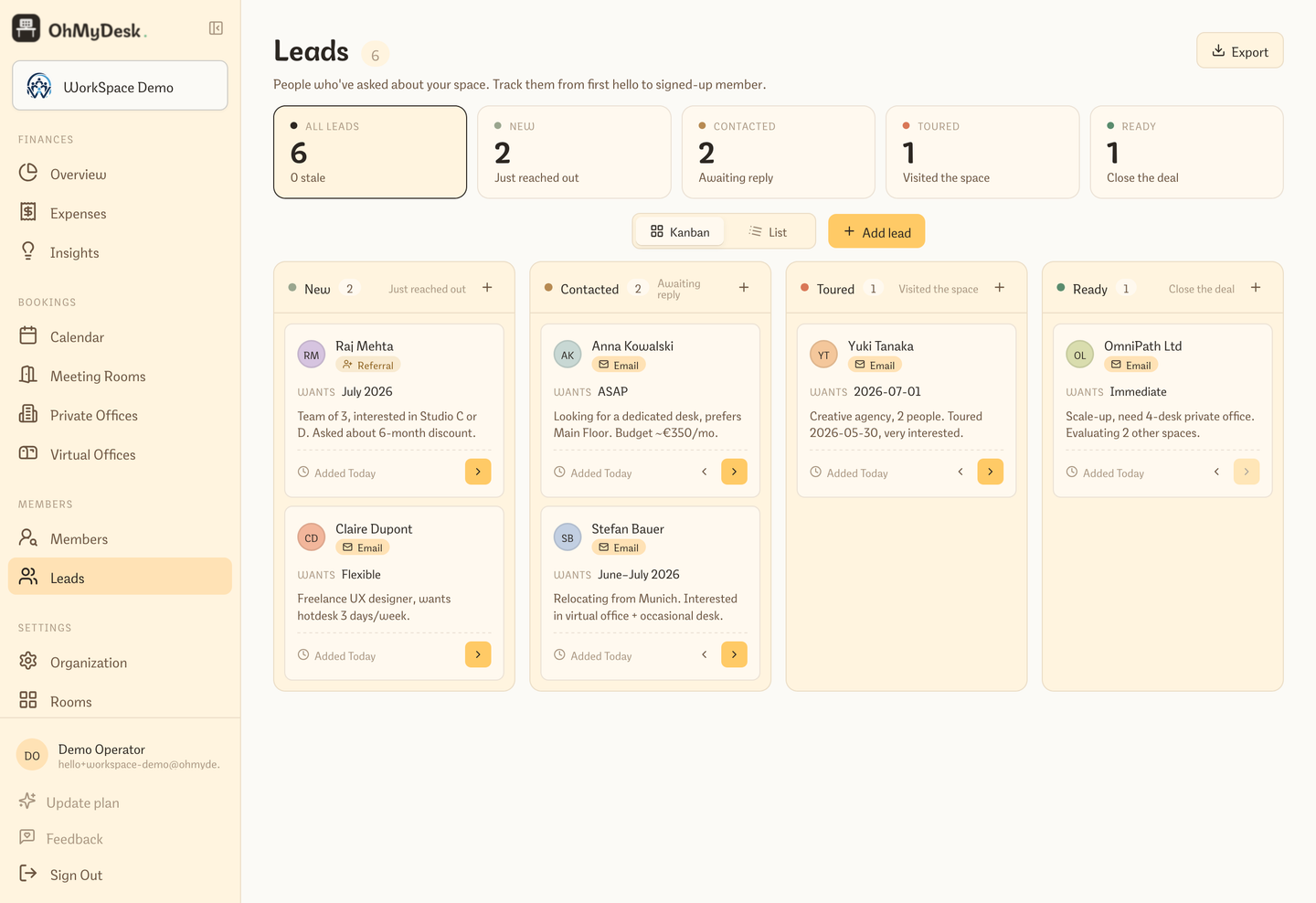
Leads — a sales pipeline for your space, not a parking lot
Leads is a four-stage pipeline (New → Contacted → Toured → Ready) you can run as a kanban board or a flat list. Each lead carries its origin channel, opens into an editable drawer, and a one-click Contact button deep-links into WhatsApp, Telegram, Viber, Instagram, or email.
The old waiting list grew into a real CRM. Leads is a four-stage pipeline — New, Contacted, Toured, Ready — that you run as a kanban board or a flat list. Every lead carries the channel it came from (WhatsApp, Telegram, Viber, Instagram, Email, Walk-in, Referral) with the right brand icon, opens into an editable drawer, and gives you a one-click Contact button that deep-links straight into the right app. Ready leads convert to members in one click.
Four-stage pipeline (New → Contacted → Toured → Ready) as a kanban board or flat list
Channel of origin per lead with proper brand icons and an override picker
Editable drawer — change name, contact, dates, and notes inline
AI concierge that answers inbound messages instantly
Connect Telegram or your own WhatsApp Business number and an AI front desk answers prospects 24/7, grounded in your real hours, prices, and live desk availability, in their language.
A prospect messages you at 9pm — "Do you have a desk free this week?" — and by the time you reply in the morning, they've booked somewhere else. OhMyDesk now puts an AI front desk on the other end. Connect Telegram (share our ready-made bot link, or plug in your own @BotFather bot) or paste your WhatsApp Business Cloud API credentials, and every inbound message gets an instant, on-brand answer. The part that matters: it's grounded in your space's real data, pulled live at message time — your working hours, your plan prices, the actual number of desks free on each of the next few days, even whether you have meeting rooms. It answers in the visitor's own language, points them to your booking link, and never invents a number it doesn't have.
Answers prospects and members 24/7 on Telegram and WhatsApp — instantly, in their own language
WhatsApp uses your own Business number (you paste the Cloud API token). Meta bills your Business Manager
Grounded in your real data: working hours, plan prices, and live desk availability for the days ahead — no made-up answers
Two Telegram paths: share the zero-setup OhMyDesk bot link, or plug in your own @BotFather bot for a white-label front desk
Knows what you don’t offer — gives a straight answer instead of inventing meeting rooms or booking windows, then points to what you do have
Every reply nudges toward your booking link, so a late-night question turns into a booking while you sleep
Safe by design: it only ever knows your space’s public info — never member data — and won’t promise discounts or anything off-script
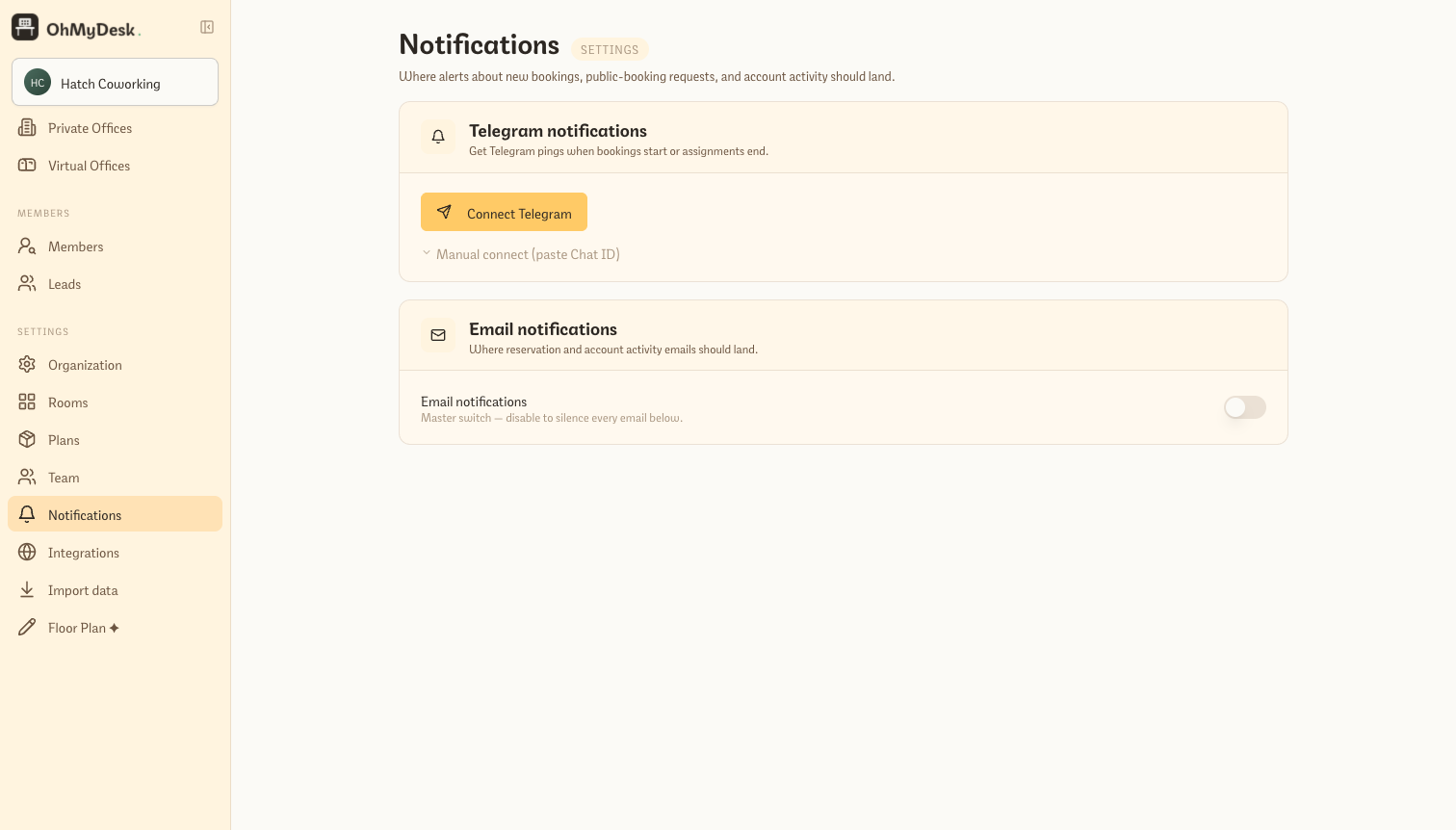
Real-time notifications for every important event: new booking, public booking request, flex plan running low, member added. Telegram is the primary channel (it works everywhere, free, instant) with email as a fallback. WhatsApp and SMS are coming.
Telegram bot integration — pair your account in 30 seconds
Email notifications via Resend — branded with your space name
Per-channel and per-event toggles (mute what you do not need)
Public booking notifications include visitor contact info
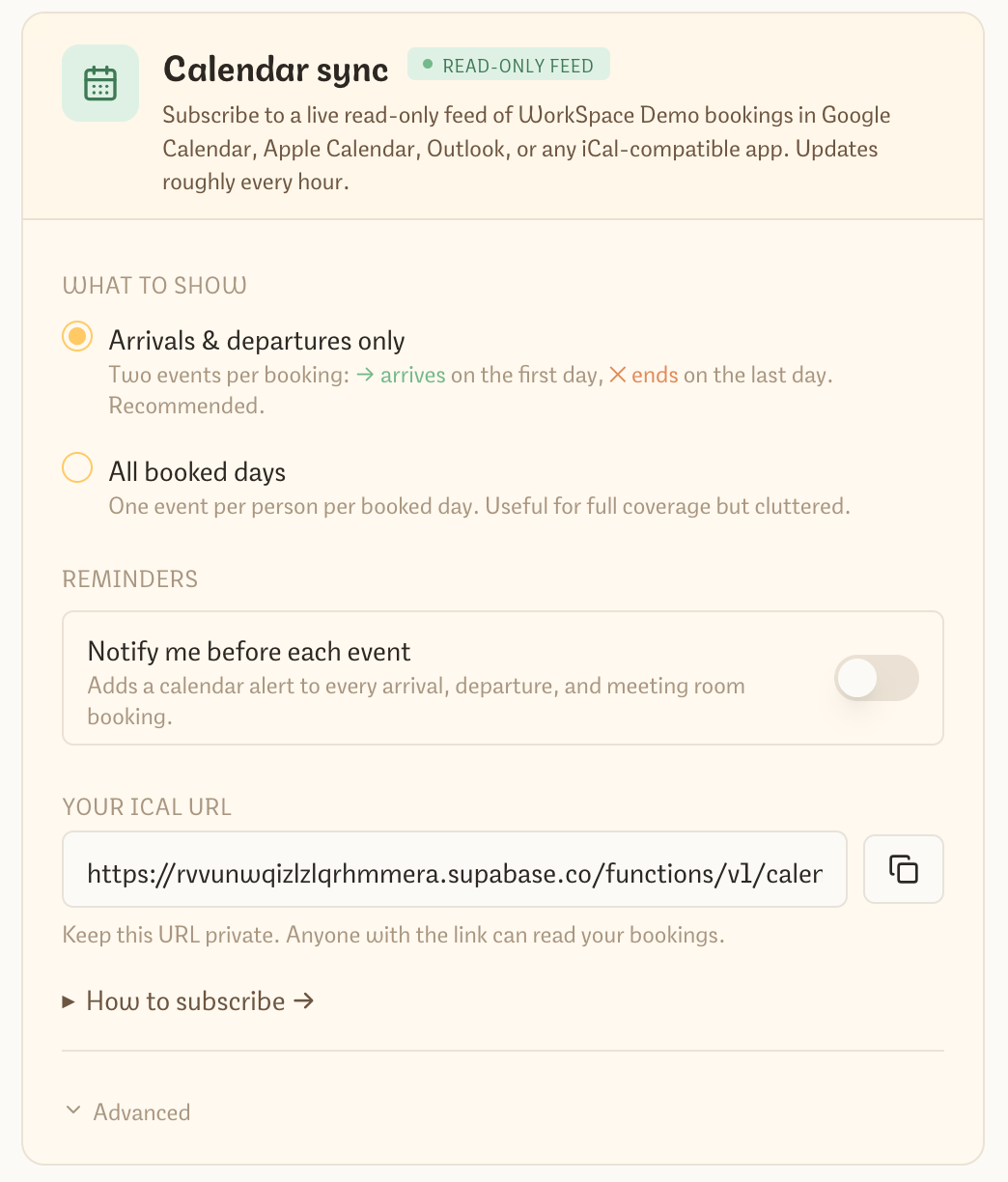
Subscribe Google, Outlook, and Apple Calendar to your space
Each manager gets a private iCal feed URL. Paste it into any calendar app and bookings appear as live events. Default mode shows markers only on each plan period’s real start and end dates, so skipped weekends do not create false Monday arrivals or Friday endings.
Subscribe your personal calendar to a live read-only feed of bookings at your space. Works with Google Calendar, Outlook, Apple Calendar, Thunderbird — anything that speaks iCal. Updates every hour automatically. Choose between "arrivals & departures only" (recommended) and "all booked days" with one toggle.
One private iCal URL per manager — paste into Google Calendar, click for one-tap Apple Calendar subscribe, or add as a web calendar in Outlook
Compact titles ([ARRIVAL] - Alexey Safo…, [ENDS] - Egor) so the feed stays scannable in grid views; full details (full name, plan, desk, run dates) live in the event body
Two modes: arrivals & departures only (default) shows the actual start and end of each plan period; all booked days mode provides full day-by-day coverage
Events are marked transparent — they never block your free/busy availability for meeting invites
Optional reminders: enable a notification 15 minutes to 2 days before each event with one toggle in Settings
Operate two, ten, or fifty coworking locations under a single OhMyDesk account. Each location has its own rooms, desks, and members, but you get a unified dashboard, shared member directory, and one bill. Available on the Multi-Location plan.
Unlimited locations under one account
Per-location rooms, desks, pricing, and team
Shared member directory — members can book across locations
Connect your own website, hardware controllers, or custom app directly to OhMyDesk. Read real-time desk and meeting room availability with keyless endpoints, or use authenticated per-workspace API keys to create, update, and cancel bookings with built-in idempotency.
Whether you are building custom door controllers, syncing bookings to your own mobile app, or embedding real-time availability on an existing marketing site, OhMyDesk provides an OpenAPI-compliant REST API served through our high-speed edge proxy.
Keyless public availability: query open desks and meeting room slots directly from public web pages with zero secret keys exposed
Authenticated management endpoints: list, create, update, and cancel bookings with per-workspace API keys
Idempotency built-in: pass Idempotency-Key headers on booking writes to prevent duplicate bookings during network retries
Stripe Checkout integration: programmatic whole-day and office requests return direct checkout URLs when online payments are enabled
OpenAPI 3.0 specification and interactive documentation live at /developers
Per-space organization isolation enforced at the database security level