Private offices — let a whole office to a company
Private offices let you sell a closed office to one company at a flat monthly price — not desk by desk. Define each office, assign a company on an open-ended or fixed-term agreement, and the rent flows into your revenue while occupancy stays clear.
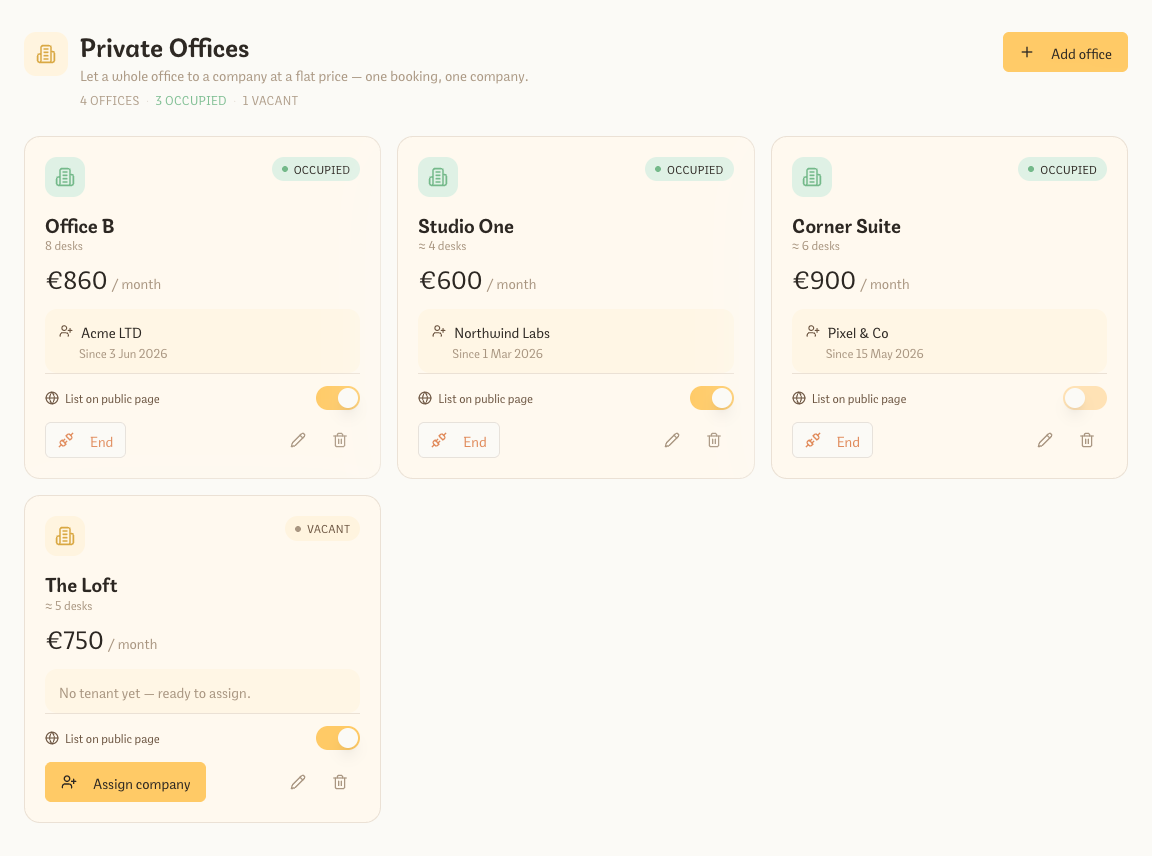
Not every space is just open desks. Private offices let you sell a whole room to a single company as one unit, at a flat monthly price. Define each office on the Private Offices page (name, monthly price, optional size), then assign a company on an open-ended or fixed-term agreement — it shows on the company’s member record and the rent flows straight into your Overview. List an office publicly and prospective companies can request it (landing as a lead with an instant Telegram + email alert) or, with Stripe office payments on, reserve it on the spot by paying the first month online.
What you get
- Sell an office as one unit at a flat monthly price — no per-desk juggling
- Several people, one payer, one invoice: add everyone who sits in the office in one form, choose who pays, and bill that person or a company (legal name, VAT, invoice email, billing address). A company name becomes a billing profile, not an extra member in your list
- A summary shows who pays, where the invoice goes and who gets the member portal; add or remove people later on the office detail sheet
- On a smart-lock front door without a keypad, every person in an active office can Unlock it from the member portal
- Optional desk set per office: pick desks by room, highlight them on the floor plan, and block bookings for the agreement term
- On the desk calendar those desks show one bar for the whole agreement. Click it to open Private offices
- Or select desks in the floor plan editor and choose Create private office to set name, price, company and dates in one step; the desks appear in one outlined group with a legend on the floor plan and Map calendar view
- Fixed-term desk-based offices archive automatically when the term expires
- Open-ended (recurring monthly) or fixed-term agreements, with a per-tenant price override
- Occupied / vacant at a glance; assigning a company creates or links its member record for invoicing
- Switch between cards and a table, with filters, sorting, and a detail sheet that shows the company and billing address
- The first month is charged to the company the moment you assign the office — no waiting for an overnight run
- List an office on your public booking page — requests arrive as leads with instant Telegram + email alerts
- Switch off Private office booking in Public booking settings to hide the whole Offices tab, or use each office's List on public page switch to choose which offices show
- Optional Stripe office payments let a company reserve by paying the first month online
- Auto-invoice open-ended offices: a monthly draft is raised each cycle alongside your desk members
Frequently asked questions
- Can several people share one private office on one invoice?
- Yes. Assign the office, or create one from desks on the floor plan, with everyone who sits there in one form. Choose who pays and bill either that person or a company. The office gets one invoice, and a company name becomes a billing profile rather than an extra member in your list.
- Can everyone in a private office unlock the front door?
- On a smart-lock front door without a keypad, every person in an active office can Unlock it from the member portal. A keypad door does not issue a PIN to occupants yet.
Try every feature free for 3 months.
No credit card. Set up your space in under two minutes.
Start Free Trial